



Online collaboration has become a normal part of music work, and it’s never been easier to collaborate remotely. But at the same time, that changes what a remote setup actually needs to do. A session has to cover clear communication, clean DAW audio, fast file sharing, and an easy way to keep notes, versions, and next steps in one place. If any one of those breaks down, the session slows down fast, and people start spending more time troubleshooting than making decisions.
That is also why the tools around the session matter so much.
Here’s It All At A Glance
The camera affects how well you can show a keyboard part, a vocal setup, or a hardware chain, the audio tools affect how accurately someone hears your work, and the file and note systems affect what happens after the call ends.
Remote collaboration gets easier fast when every part of the setup has a clear role.
The camera needs to keep up with real session movement, the audio has to come through clean, and the files and notes need to stay organized once the call ends. The OBSBOT Tiny 3 Series covers a central part of that workflow, and the rest of this list fills in the pieces around it so the session can keep moving, and I wanted to give a shout-out to OBSBOT for sponsoring this article!
OBSBOT Tiny 3 Series For The Webcam
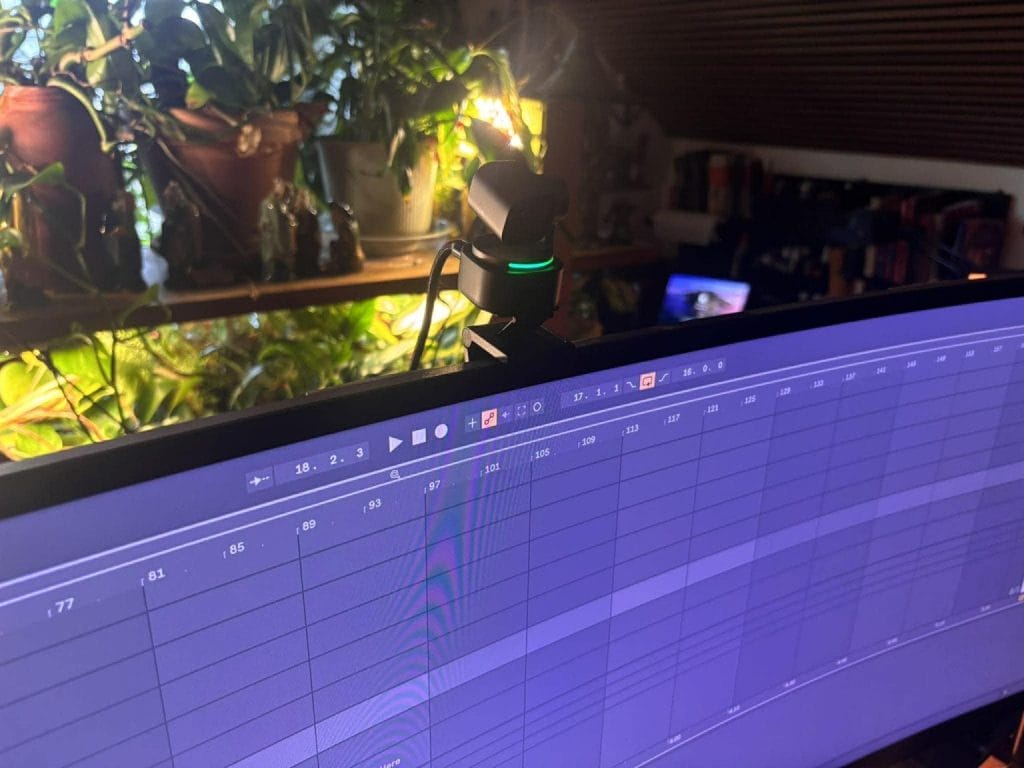
If I were buying one remote-collab camera right now, I would start with the OBSBOT Tiny 3 Series, and I would call it the best webcam for collaborating online. OBSBOT positions the Tiny 3 as the smallest 4K PTZ webcam, and its main model uses a 1/1.28-inch sensor, captures up to 4K at 30 fps and 1080p at 120 fps, and weighs 63 grams.
The same series also includes the Tiny 3 Lite at $199, while the full Tiny 3 sits at $349, so there is a clear entry point if you want the same general platform at a lower cost.
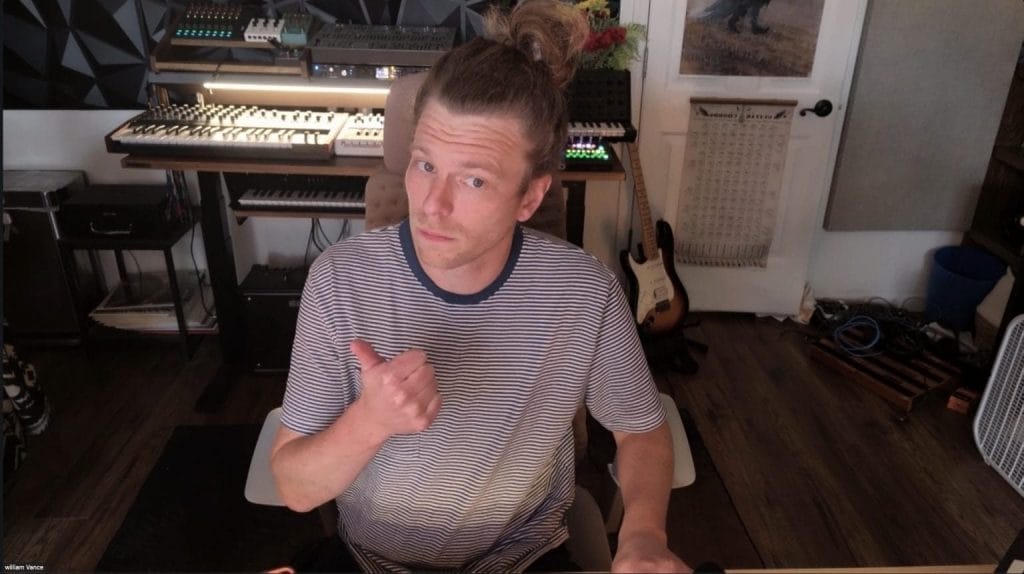
What makes it such a strong fit for music work is AI Tracking 2.0 and Voice Locator, because you can move from the desk to a synth stand, a vocal corner, or a guitar amp and keep the frame usable without touching the camera.
OBSBOT also includes gesture control, voice control, Whiteboard Mode, RTC Remote Interaction, and current OBSBOT Center tools like teleprompter, background replacement, and eye tracking. The Tiny 3 Series also builds in a triple MEMS microphone array with five audio profiles, and one webcam can pair with up to two Vox SE wireless microphones for two-person sessions.
For writing camps, mix reviews, remote lessons, and one-on-one production calls, that combination covers framing, movement, and backup audio in a way standard webcams still do not.
You can explore the full specifications of the Tiny 3 Series here
Demmo.link For Sharing Files And Ideas
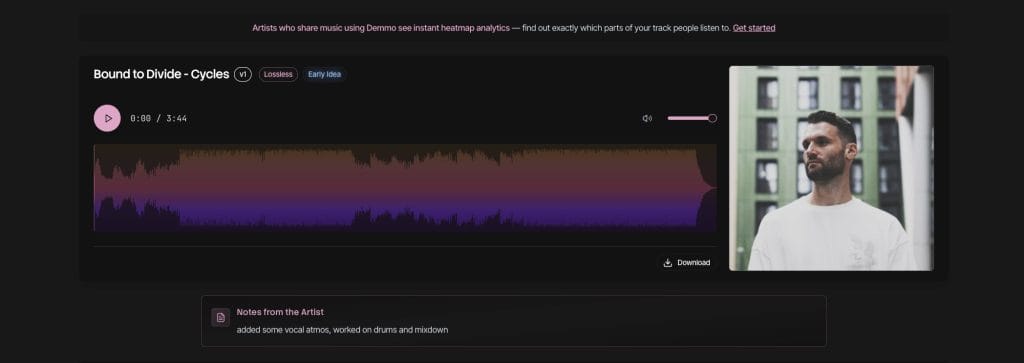
File sharing is where a lot of remote collaboration goes sideways, and Demmo.link is included here because it treats audio review like an actual production task instead of a generic cloud upload.
Demmo was built around multiple private links, listening heatmaps, built-in LUFS metering, lossless streaming for WAV, AIFF, and FLAC, Kanban-style project stages, version control, A/B comparisons, and a desktop sync app that automatically uploads files from a folder.
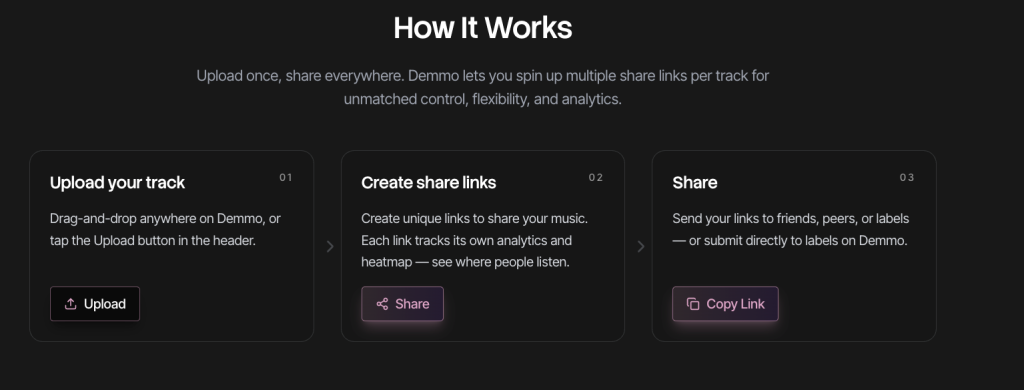
The platform also supports managed share links and analytics views for shared playlists, which makes it easier to see how people are interacting with what you sent.
For producers trading mix passes, alt arrangements, radio edits, instrumentals, or notes from labels and writers, that structure removes a lot of confusion fast. The heatmap data is also useful when feedback is vague, because it can show where a listener skipped, dropped off, or replayed a section. Comments stay tied to the right stage, and revisions can sit side by side for quick checks.
That is a big reason I would call Demmo necessary here, because remote collaboration falls apart when nobody knows which file is current or which section the note is referring to.
Audiomovers LISTENTO For Collaborating Live
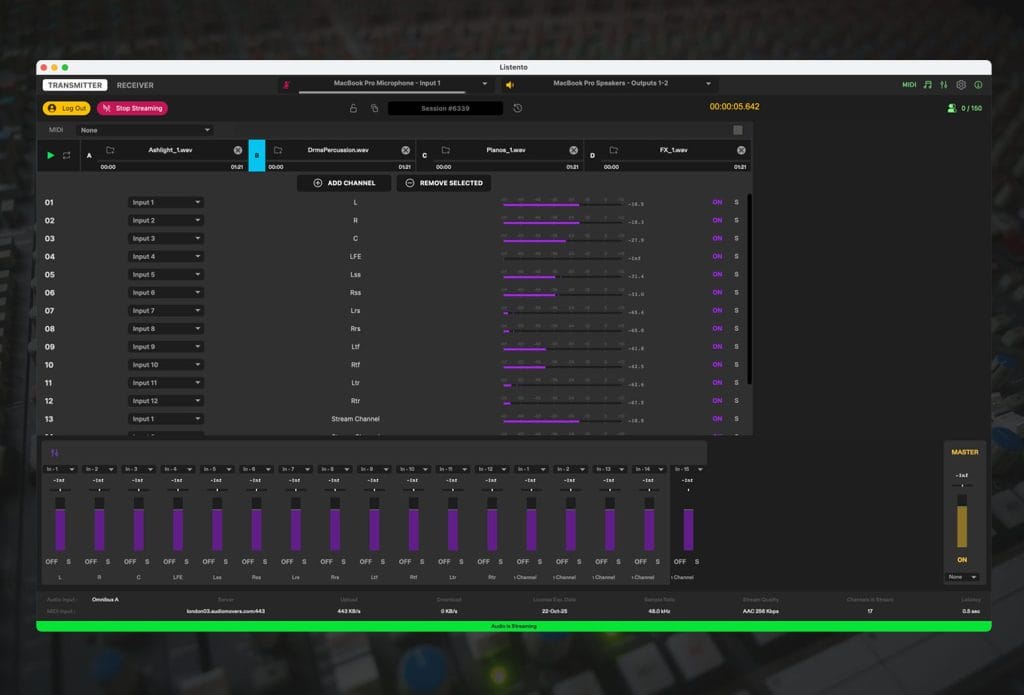
If I were swapping one item on this list for remote music work, I’d replace the mic slot with Audiomovers LISTENTO. LISTENTO streams lossless audio straight from a DAW or audio device to another person in real time, and Audiomovers also offers built-in two-way talkback and listenback inside the LISTENTO app, which cuts down on having to juggle extra communication tools during a session.
That makes it useful for mix reviews, live production feedback, writing sessions, and client approvals, because another producer can hear what is coming out of your session without waiting for exports and uploads.
Audiomovers also says LISTENTO can stream MIDI and includes timecode-related sync tools in the app, which adds value for people working across separate rigs and trying to keep cues lined up. In the context of this wider list we’re breaking odwn here, it earns its place because OBSBOT handles the visual side of collaboration, while LISTENTO handles the part that matters most in a music session: getting clean, direct audio from the DAW into someone else’s headphones fast.
If the goal is to make online collaboration feel closer to being in the same room, this is the tool I would point to before I pointed to another USB microphone.
Rogue Amoeba Loopback For Making Apps Connect
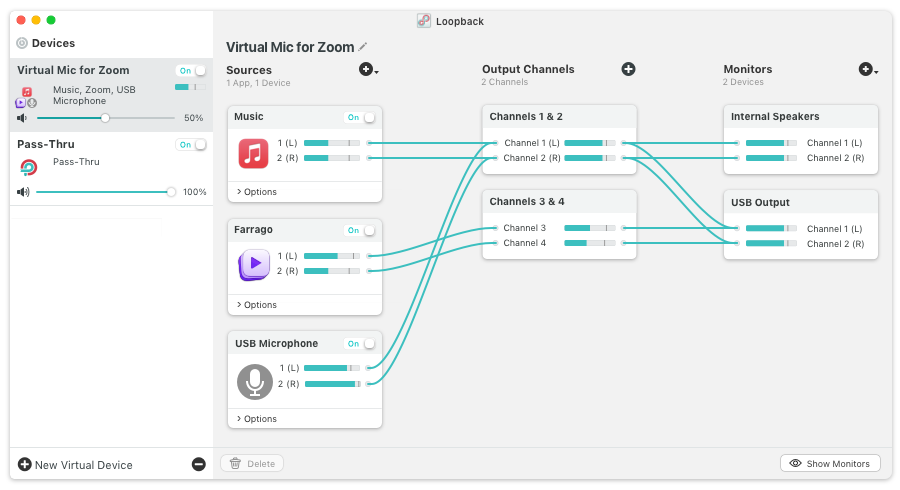
I would keep Loopback in a list like this because remote collaboration gets messy fast once you try to send your mic, your DAW, and reference audio through the same call.
Loopback is built for Mac, and it lets you combine audio from apps and physical inputs into one virtual device that any app on the computer can use.
That means you can route Ableton, Logic, QuickTime, a browser tab, and your microphone into one clean feed instead of patching together a workaround every time you jump on Zoom or another platform. Rogue Amoeba also gives you custom channel mapping, monitoring, pass-through routing, and support for up to 64 channels, so it has room to grow with a larger setup. For a producer, that matters because online collaboration usually breaks at the routing stage long before the creative part starts.
This is one of those tools that saves time in a very unglamorous way, and that is exactly why I would keep it close during any serious remote session
Notion For The Bigger Picture
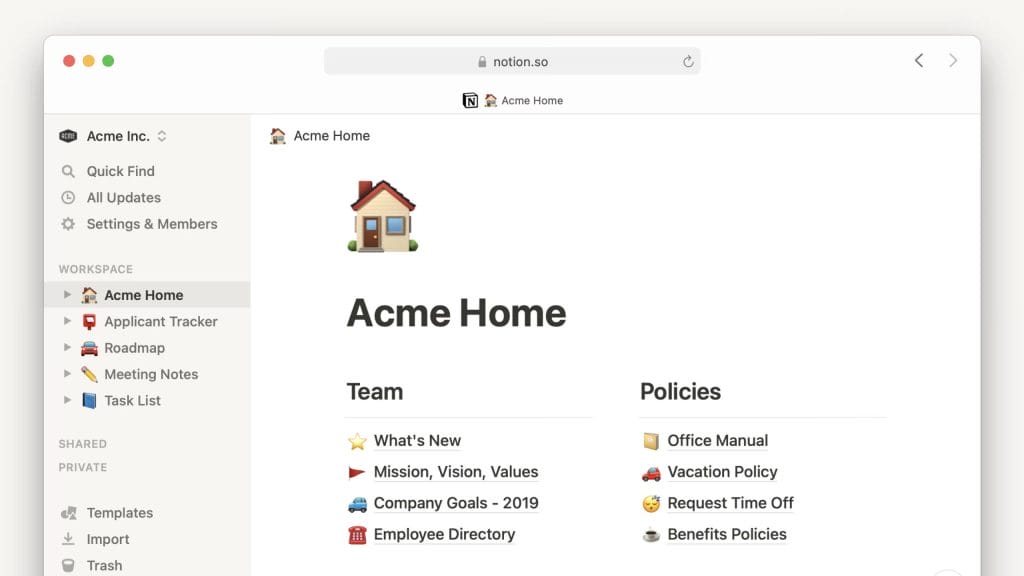
I would also keep Notion in this kit because online collaboration creates a pile of moving parts outside the session itself. Notion gives you docs, wikis, project tracking, tasks, timelines, charts, dependencies, and database views inside one shared workspace, which makes it useful for session notes, topline ideas, revision lists, credits, deadlines, and release planning.
That matters once a project moves past the first call, because somebody needs to track what changed, who owes what, and which version is current. I like Demmo for review links and time-based feedback, though I would use Notion for the bigger operating system around the project.
You can build one page for the song, keep all the notes there, drop in references, assign next steps, and avoid the usual mess of scattered emails and half-finished text threads. In a remote workflow, that kind of shared clarity keeps the process moving and saves a lot of backtracking later.
Final Thoughts On What It Takes To Collaborate Remotely
Online collaboration works best when each part of the setup has a clear job.
You need a camera that can keep up with real session movement, a reliable way to stream DAW audio, a place to send works in progress, a routing tool that keeps your signal clean, and a shared workspace that holds the project together after the call ends. That is also why the OBSBOT Tiny 3 Series makes sense in this list, because it covers the visual side of remote music work in a way most standard webcams do not.
Put alongside the right supporting tools, it helps turn a remote session from a compromise into something that actually moves the record forward. For producers and musicians working across cities, time zones, and tight schedules, that kind of setup can make online collaboration feel a lot closer to a real studio process.
The post How to collaborate remotely with other music producers and musicians: 5 Essential Tools appeared first on Magnetic Magazine.