


Teaching music production used to feel like something you did on the side because learning everything you need to get started teaching production lessons, let alone getting all the gear needed to really do it right, felt like an insurmountable barrier.
A few lessons here, a couple of favors there, maybe some ad-hoc coaching squeezed between projects. That version still exists, but it does not scale, and it rarely holds up once students start expecting real structure, consistency, and progress.
If you are serious about teaching production lessons or running 1-on-1s from home, the conversation changes quickly. How clearly you communicate, how reliable your setup feels, and how easy it is for a student to trust the process week after week are the deciding factors on whether teaching lessons online to music producers can actually turn into something meaningful (and profitable) for you.
I have watched talented producers struggle to retain students simply because their setup added friction. Audio cutting out and cameras fixed at awkward angles suck just as much as screen sharing, which felt unintentional. None of that reflects skill, but all of it shapes perception, and perception shapes trust that the teacher actually knows what the heck they’re doing.
Getting started teaching production lessons does not require turning your studio into a broadcast facility, and with a few simple cameras from a brand like OBSBOT (who were kind enough to sponsor this article, though they had no say in what I write or how it was covered), you can achieve pro-quality camera and audio so that your ideas are communicated clearly and confidently to your students in no time at all. It does require building a small system that supports clarity, presence, and repeatability but it’s not as hard as it seems. So let’s dive in…
Start With the Reality of 1-on-1 Teaching
Before gear, platforms, or pricing, it helps to be honest about what production lessons actually involve. This is not a passive activity. You talk, listen, demonstrate, react, adjust, and explain decisions in real time. You move between your DAW, a MIDI controller, a mic, and sometimes a whiteboard or notepad.
If your setup locks you into a chair or forces you to constantly adjust framing, the lesson loses momentum. Students feel that immediately, even if they cannot articulate it.
Teaching works best when it feels conversational and focused. The goal is to remove as many distractions as possible so the student stays engaged with the ideas rather than the medium.
The same applies if you are teaching podcast production, content creation workflows, or streaming setups. In those cases, audio quality and camera flexibility become even more important, because you are demonstrating processes that revolve around media capture itself.
Your Teaching Platform Comes First
Most production lessons happen over video. Zoom, Google Meet, and similar tools work because they are familiar and stable. Discord calls also work well for ongoing students who already live there.
What matters more than the platform is how smoothly you can move within it. Screen sharing needs to be fast. Audio routing needs to be predictable. Switching between talking and demonstrating should feel natural.
If you are teaching podcast production or streaming fundamentals, this becomes even more critical. Students need to hear differences in mic placement, gain staging, and monitoring. That requires stable routing and clean capture.
Before testing any new hardware in a teaching setup, always update the firmware to the latest version. In the case of the OBSBOT Tiny 3 Series, the most recent firmware improves the audio gain structure and spatial clarity, which directly affects how your voice sounds in live lessons and recordings. Starting with the optimized firmware ensures you evaluate performance accurately and deliver consistent results to students.
Students are not impressed by complexity. They value clarity and flow.
Camera Setup Is About Presence, Not Production Value
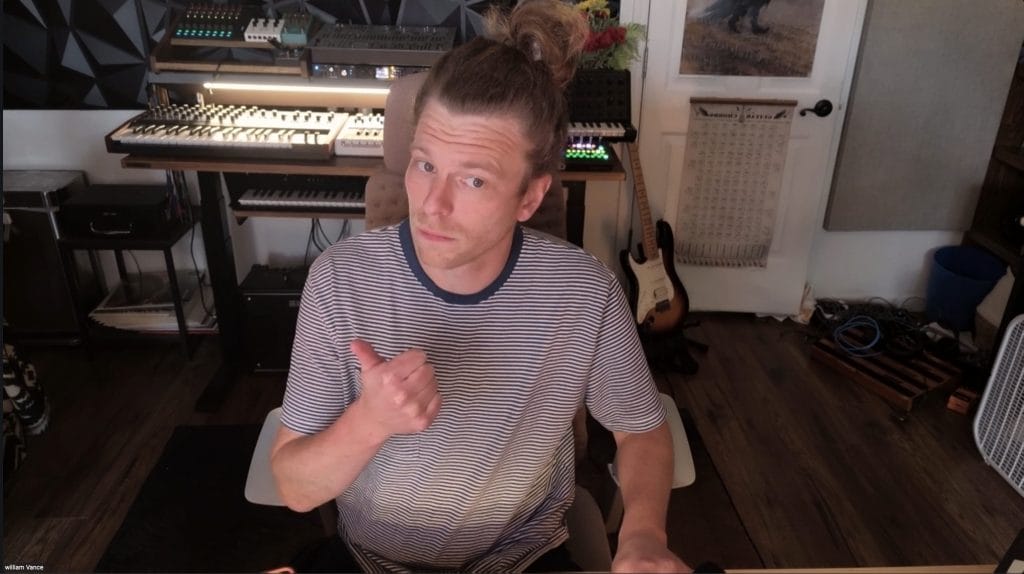
Many producers rely on a built-in laptop camera. It works, but it locks you into a fixed angle and limits movement. Teaching production is physical. You gesture when explaining the arrangement. You lean back when breaking down mix balance. You turn toward the hardware when demonstrating MIDI input.
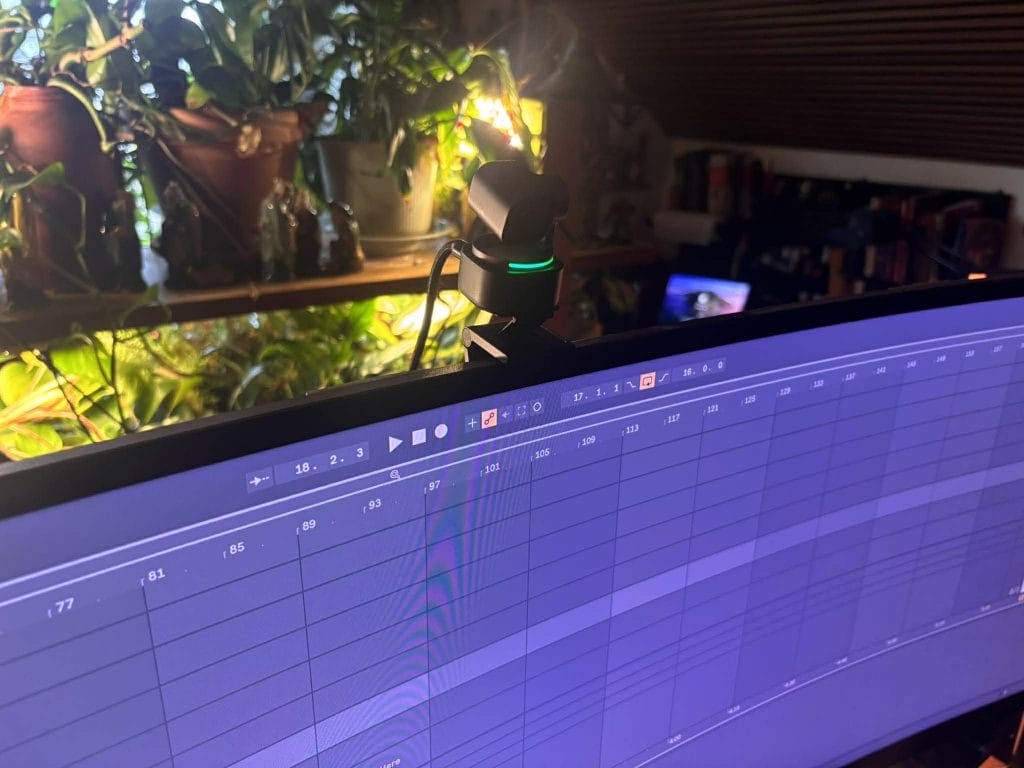
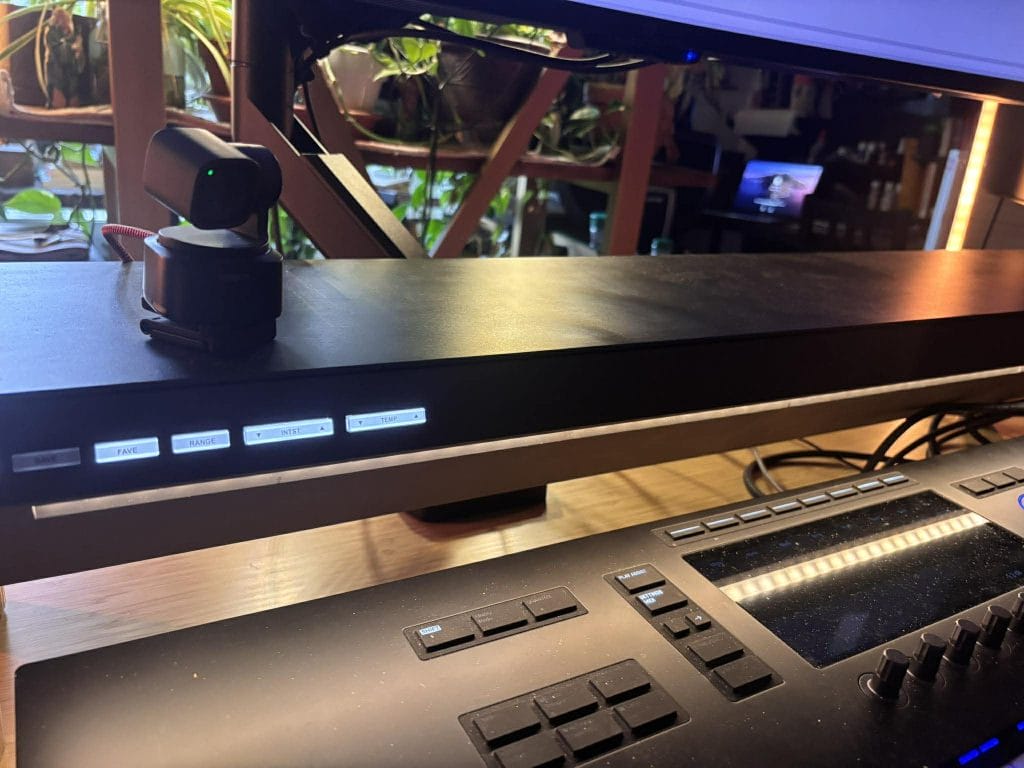
A compact PTZ webcam that tracks movement instead of forcing you to stay centered solves that friction. The OBSBOT Tiny 3 Series adapts to how producers actually move during lessons. Intelligent tracking and voice-based framing keep you centered without manual adjustment.
You can explore the full specifications of the Tiny 3 Series here
The small footprint matters in real studios where desk space is limited. At 4K resolution with HDR and fast autofocus, the camera captures detail clearly when you shift between speaking and demonstrating gear. Preset positions allow you to save different framing setups for talking head segments, keyboard demonstrations, or whiteboard explanations.
In a teaching environment, those saved presets reduce friction across sessions. When every lesson begins smoothly and framing adjusts automatically, you conserve mental energy for instruction.
Audio Is the Non-Negotiable Part
Students will tolerate imperfect video. They will not tolerate unclear audio.
Production lessons depend on nuance. Tone, timing, emphasis, and detail all matter, especially when explaining subtle mix decisions or workflow adjustments. If you are teaching podcast editing, streaming signal flow, or vocal processing, your spoken clarity becomes part of the lesson itself.
The Tiny 3 Series integrates an Intelligent Directional Mic System with Voice Locator technology, offering selectable audio modes including Pure, Spatial, Smart Omni, Directional, and Dual-Directional. In practical teaching scenarios, this flexibility helps adapt to room conditions without adding external complexity.
For example:
- Directional mode can reduce room reflections in untreated spaces.
- Dual-Directional mode supports conversational interviews or collaborative breakdowns.
- Smart Omni maintains presence when you move around the desk.
For instructors who do not want to rely on separate USB microphones during casual lessons, these built-in modes simplify the setup while maintaining clarity. That matters when you are running multiple 1-on-1 sessions per week and want consistent vocal capture without troubleshooting.
If you are also recording lessons for replay, clear audio becomes even more important. Students revisit explanations long after the live session ends. Spatial clarity and stable gain help maintain intelligibility across devices.
For creators who want to add external audio routing or a companion mic for dedicated podcast sessions, accessories like the Vox SE can further expand flexibility.
Screen Sharing and DAW Visibility Matter More Than Resolution
Teaching production means living inside your DAW. Students need to see parameters clearly and follow their mouse movements without lag. 4K resolution paired with clean screen capture ensures plugin values remain readable.
Organizing your DAW template before lessons makes a larger difference than most hardware upgrades. Clean track naming, predictable routing, and visual clarity model professional workflow habits for students.
If you are teaching streaming or content creation, demonstrating how to balance camera framing with screen overlays becomes part of the lesson. Picture-in-picture modes and framing presets allow you to show both your face and your DAW clearly without awkward repositioning.
When screen sharing feels smooth, students focus on the ideas instead of asking you to repeat steps.
MIDI Controllers and Demonstration Tools
You do not need a wall of hardware to teach effectively. A single MIDI controller is enough to demonstrate synthesis, chord voicings, drum programming, or real-time automation. What makes the difference is how clearly students can see what you are doing.
Running multiple cameras makes this very practical.
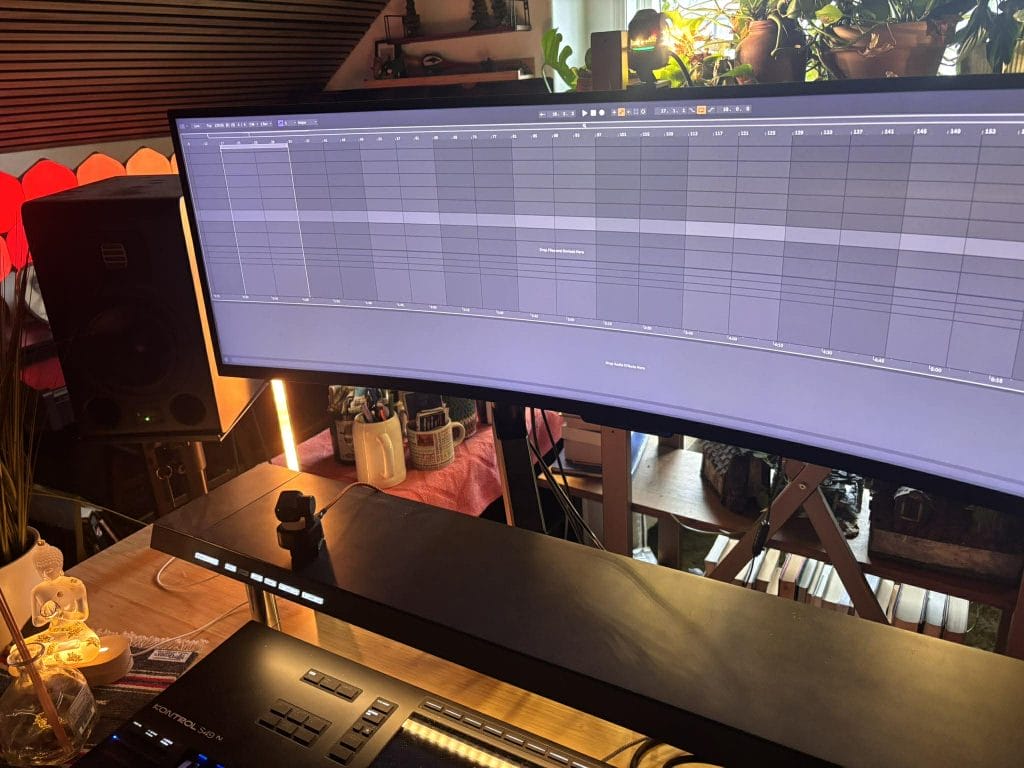
One camera can stay locked on your face while you explain the concept. A second can sit above or beside your MIDI keyboard so students can see exactly how you are voicing chords or triggering drums. At the same time, you are screen-sharing your DAW so they can follow the plugin settings and routing decisions.
That layered perspective makes lessons feel more complete and easier to follow.
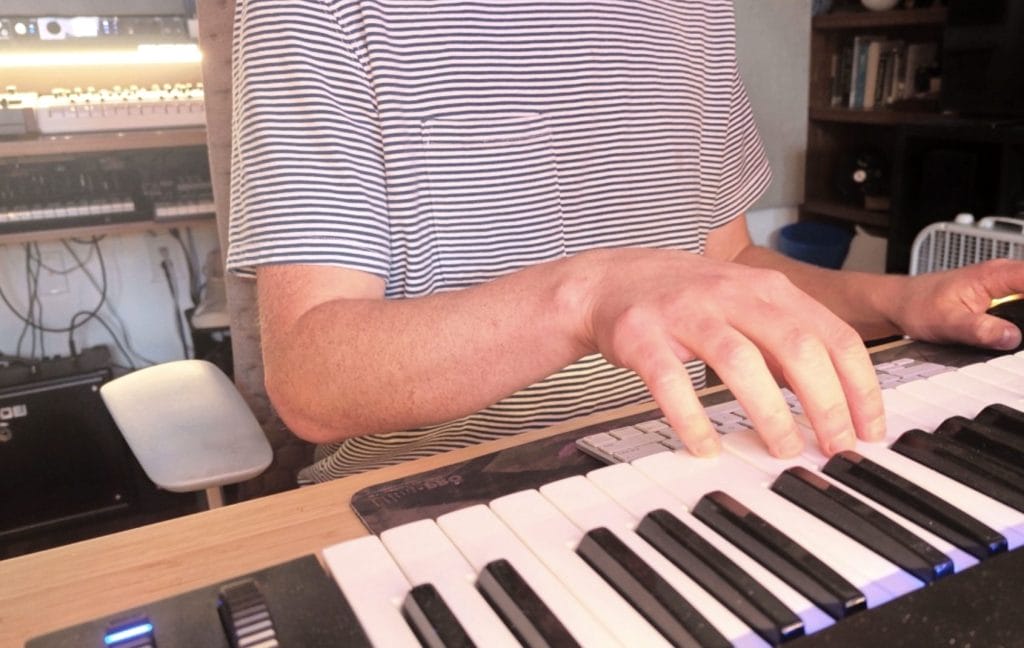
Compact PTZ cameras with saved presets make this workflow realistic in a home studio. You can assign one profile to a talking-head angle and another to your keyboard, then switch between them without physically adjusting tripods or mounts. Intelligent tracking keeps framing natural when you lean forward to demonstrate something or shift back to explain theory.
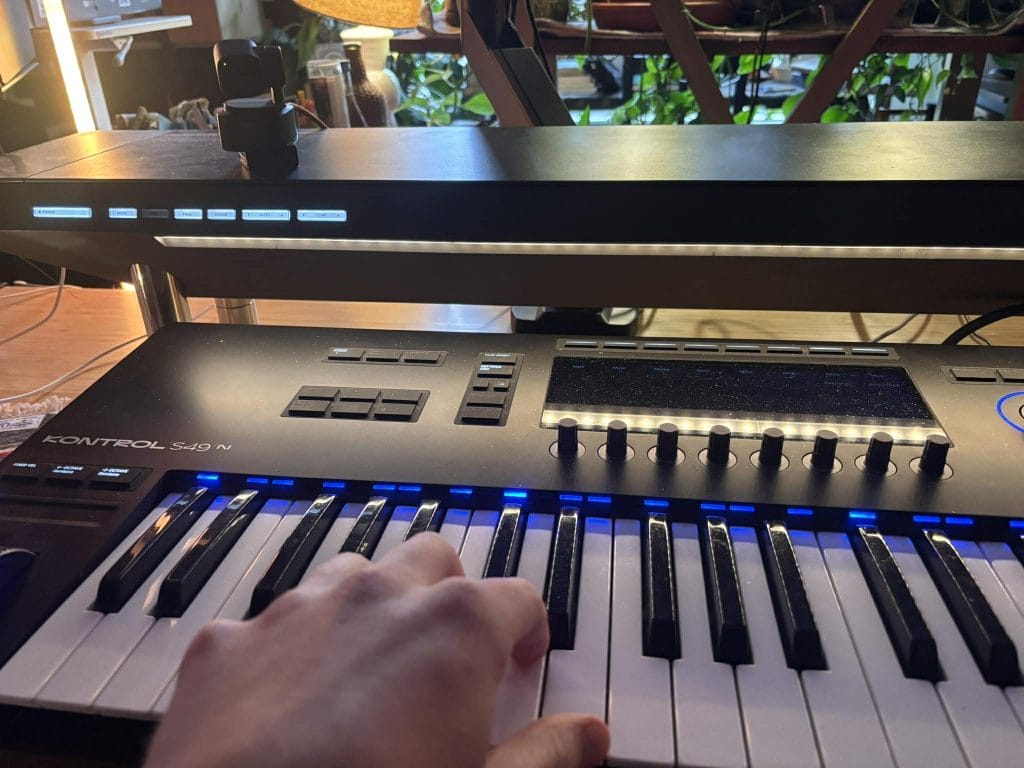
When the camera profiles handle the transitions cleanly, you focus on teaching instead of production logistics. Students see your face, your hands, and your screen without interruption, which shortens the gap between explanation and understanding.
Lesson Structure Creates Trust
Knowledge alone does not carry lessons. Structure builds confidence.
A simple rhythm works:
- Short check-in.
- Focused topic.
- Demonstration.
- Assignment or takeaway.
Students respond to predictability. They relax when they understand how sessions unfold.
This applies equally to production coaching, podcast training, and content creation guidance. Clarity in structure mirrors clarity in delivery.
Recording Lessons Adds Long-Term Value
Recording your sessions, with student permission, is one of the simplest ways to increase the value of every hour you teach. Students can revisit complex explanations on compression, arrangement, or vocal processing without emailing you midweek, and you spend less time repeating the same foundational concepts over and over.
When you archive lessons, production quality becomes more important. Clear vocal capture, controlled gain, and stable framing make those replays usable months later. If your camera keeps you centered while you move between your DAW and your keyboard, and your voice stays consistent across sessions, the recording feels intentional instead of accidental.
There is another upside most producers overlook. Transcriptions of your lessons can quickly become marketing material. The way you explain sidechain routing to a student can become a tight Instagram carousel. A detailed breakdown of the arrangement strategy can evolve into a newsletter. A recurring question about mix translation can expand into a full-length article. The content is already there because you are teaching it live.
I think the online school Cosmic Academy does this really well, actually, and can definitely be used as inspirationfor this model. Check out their post bleow
Over time, recorded lessons become more than a student archive. They become a content engine that supports your authority, reinforces your positioning, and feeds the same ecosystem that brings new students in.
Teaching From Home Requires Workflow Discipline
The most successful instructors treat teaching like a system. Templates, presets, firmware updates, and stable routing prevent small issues from interrupting sessions.
Compact tools that save framing positions, optimize audio gain, and maintain consistent capture quietly improve reliability across dozens of lessons. When your setup adapts to your movement and voice without constant manual adjustment, you reduce friction.
Teaching becomes easier when the setup fades into the background.
Scaling Beyond 1-on-1s
Once your 1-on-1 lessons feel dialed in and repeatable, expanding beyond them starts to make sense. Group workshops, monthly feedback calls, or live breakdown sessions all run on the same core setup you already built, so you are not reinventing anything each time you scale.
If your camera tracks you naturally and your audio stays clear without constant tweaking, you can shift from teaching one person to guiding ten without changing your workflow. That is especially relevant if you are covering podcast production or streaming fundamentals, where being able to demonstrate mic modes, positioning, and camera control in real time becomes part of the lesson itself. When students can see and hear those adjustments clearly, the teaching becomes concrete instead of theoretical.
The key is that your infrastructure stays predictable. Presets save time. Firmware stays updated. Routing stays consistent. When those elements are handled, your attention stays on the students instead of the setup.
That is how teaching moves from something you squeeze into your schedule to something that runs like a real extension of your studio practice.
The post Everything you need to get started teaching production lessons online to students appeared first on Magnetic Magazine.