





When I think about Melodyne alternatives in 2026, I usually break the conversation into two lanes.
- The first lane is fast, real-time correction that I can track through and move on from quickly.
- The second lane is for deeper note editing, where I want to zoom in, adjust pitch drift, shape vibrato, and clean up phrasing with surgical precision.
Melodyne still handles that second lane extremely well, especially when ARA integration lets me see large sections of a vocal take at once. But depending on the session, I do not always want to work that way, and that is where these alternatives come in.
Below are seven Melodyne alternatives in 2026 that I would consider using in different studio situations, starting with LANDR’s VoxTune.
Disclaimer: LANDR sponsored this article, but we wouldn’t have accepted the opportunity if we didn’t fully stand behind the recommendations below.
Melodyne Alternatives At A Glance
Synchro Arts RePitch
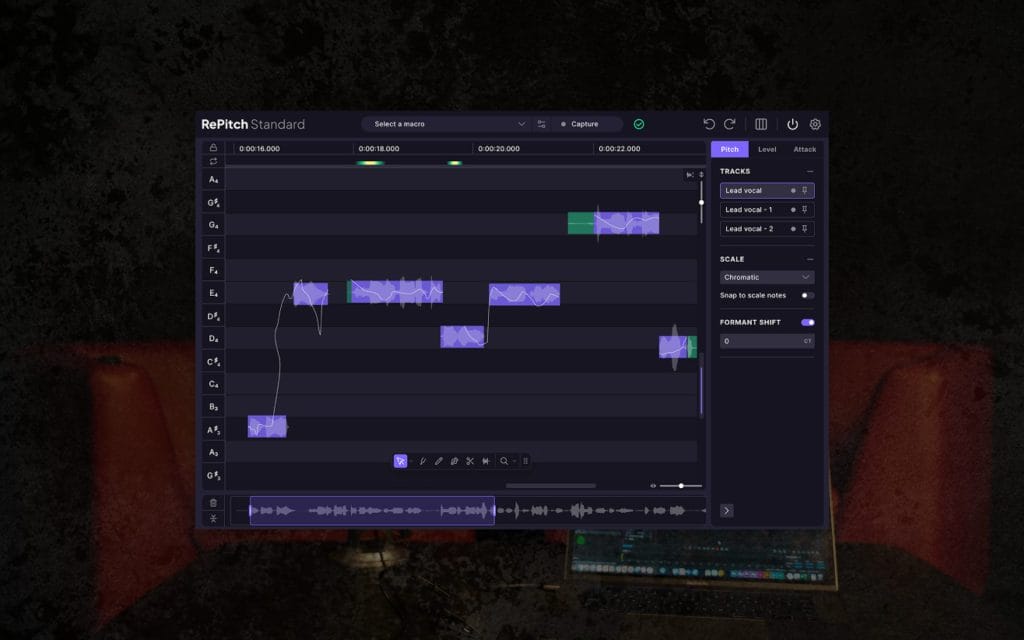
RePitch appeals to me when I want more hands-on control but still prefer working inside a plugin window. I can see note blocks, adjust pitch and timing in one place, and refine phrases without exporting audio to another environment.
The formant shifting and macro tools help me move quickly at first, then I can zoom in and make more detailed edits where necessary. I like that pitch and timing adjustments live side by side, because in real sessions, those decisions are often connected.
If I am tuning stacked vocals, I can move through them efficiently without feeling like I am juggling multiple editors. The interface stays focused on editing rather than overwhelming me with unnecessary complexity. For projects where I know I will be doing more manual shaping but still want a plugin-based workflow, RePitch makes a lot of sense.
RePitch vs. Melodyne
Compared to Melodyne, RePitch feels more philosophically aligned because it offers note-level editing, which is one of the best, albeit trickiest, parts of Melodyn. The difference is that Melodyne’s ARA integration enables large-scale editing across an entire performance to feel extremely fluid in supported DAWs, reducing much of that friction.
RePitch keeps everything inside a more traditional insert-style workflow, which I sometimes prefer when I want to stay visually anchored in my main mix window.
LANDR VoxTune
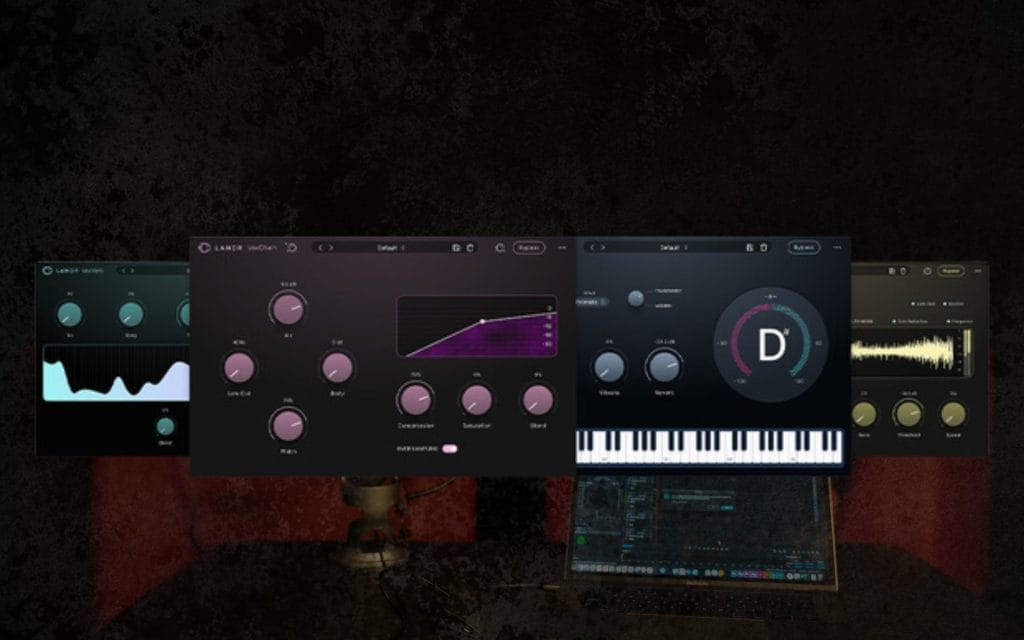
When I use LANDR VoxTune, I immediately dig how quickly I can get started. I drop it onto a vocal insert, set the key and scale, and I am already hearing controlled pitch correction without leaving my mix window.
It is part of the LANDR Vocal Plugin Bundle, so I can move from tuning to de-essing, reverb, and full-channel strip processing without switching ecosystems or breaking my workflow. VoxTune keeps the controls focused, which I like because I don’t have to think about advanced editing modes when building a rough or final vocal chain.
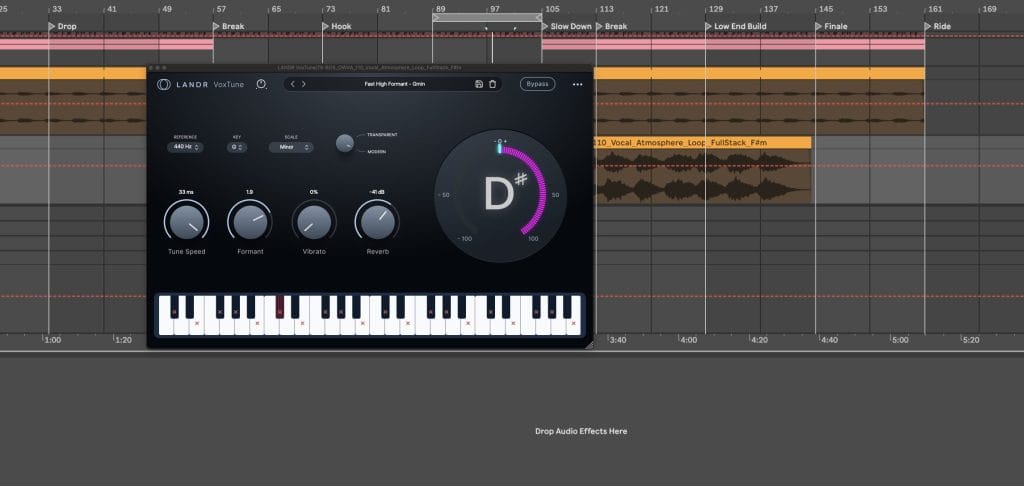
If I am working on leads, doubles, and harmonies, I can keep everything consistent across tracks by pairing VoxChain with VoxDeEss in the same tool family.
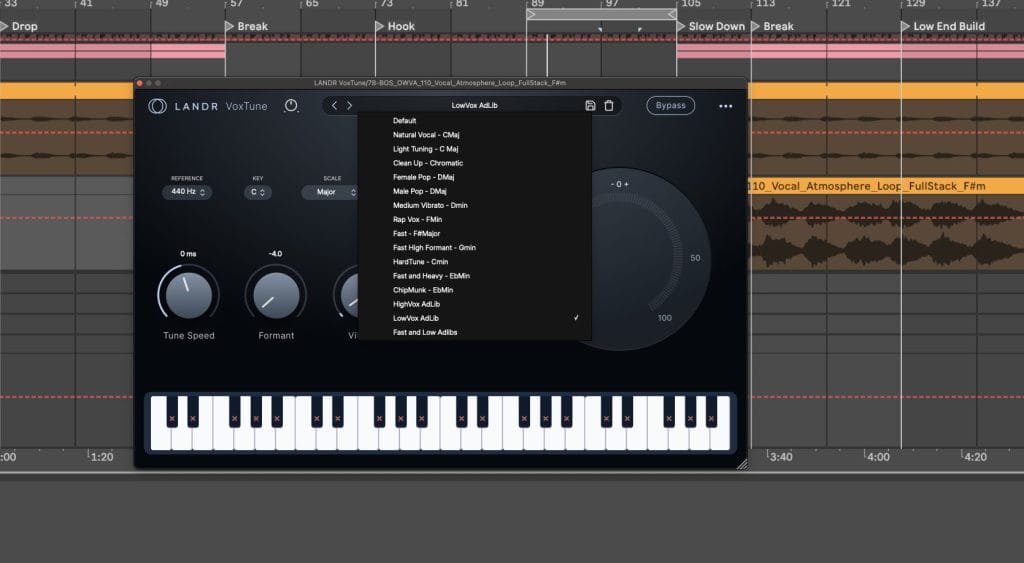
That consistency matters to me because I build templates that I reuse constantly, and VoxTune fits into that structure cleanly and the amount of incredibly usable presets that come right out of the box means there is far less of a learning curve compared to Melodyn (which would have been a game chagner 8 years ago when i was first learning about vocal processing and had to learn everything about Melodyn by trial and error).
I also like that I can keep the entire vocal workflow contained inside a single ecosystem rather than bouncing between five different plugin brands. When I want tuning that is fast, reliable, and easy to replicate across sessions, VoxTune is one of the first tools I reach for.
LANDR VoxTune vs. Melodyne
Compared to Melodyne, VoxTune feels intentionally streamlined.
I am not opening up a detailed note editor or manually reshaping every syllable, and that is the point. Melodyne is where I go when I want to redraw pitch curves and adjust timing at the note level across an entire take. VoxTune is where I go when I want a controlled, mix-ready vocal quickly, especially inside a repeatable template.
Antares Auto-Tune 2026
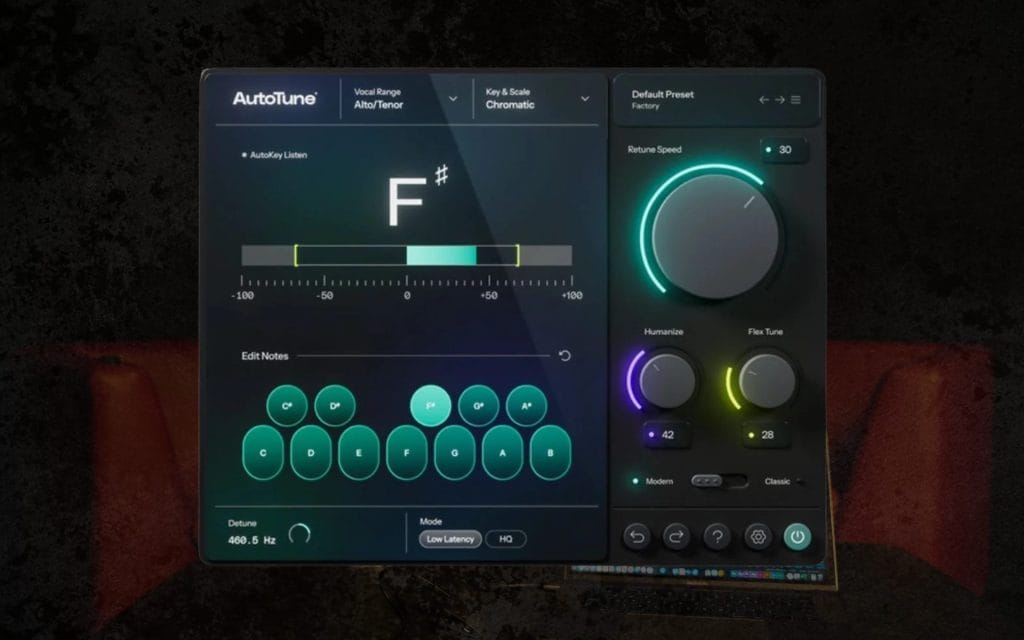
Auto-Tune 2026 is the tool I think about when I want pitch correction happening in real time as the vocalist performs, which is probably why it’s such an industry staple. I set the key and scale, dial in the correction amount, and immediately decide how tight or relaxed the pitch response should be. What I like is that I can monitor through it with low latency, which keeps the session moving and helps artists stay confident in their performance.
The visual feedback also makes it easy for me to see how aggressively the signal is being corrected, which speeds up my decision-making. I can run multiple instances across stacks and ad-libs without my system struggling, which makes it practical for dense pop or electronic sessions.
When I am working in a writing room, and the vocalist expects tuned vocals in their headphones instantly, Auto-Tune 2026 fits that workflow naturally, even to this day, even if new contenders have entered the market since it made its first landing almost two decades ago.
Auto-Tune vs. Melodyne
Compared to Melodyne, Auto-Tune 2026 is built around immediacy.
I am not analyzing an entire take and then editing note blocks in detail afterward. Melodyne gives me deeper control over pitch drift, vibrato shape, and timing movement once the performance is recorded. Auto-Tune 2026 is what I use when I want tuning decisions to happen as part of the performance itself.
Waves Tune Real-Time
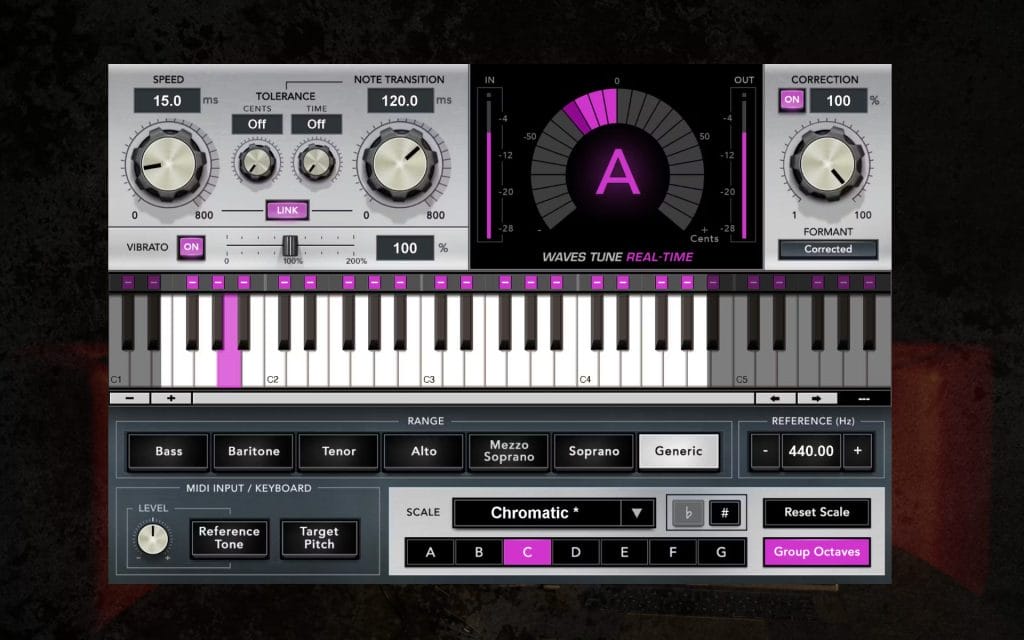
Waves Tune Real-Time is something I use when I want simple, no-frills pitch correction that works immediately. I define the scale, adjust the response speed, and I am done setting it up.
That simplicity is handy when I am working quickly or when I need to deploy tuning across multiple tracks without overthinking it. I can keep the correction transparent with slower settings, or I can tighten it up for a more stylized effect depending on the track.
Because it runs in real time, like the plugin mentioned above, I can track it comfortably, which helps maintain momentum in writing sessions. It also fits cleanly into templates that already rely on Waves processing, so I do not have to reinvent my routing.
For straightforward automatic tuning, it does exactly what I expect if you can still stomach the Waves ecosystem and business model.
Real-Time vs. Melodyne
Compared to Melodyne, Waves Tune Real-Time is clearly focused on automatic correction rather than deep editing. Melodyne lets me reshape individual notes and timing with precision once the performance is captured.
Waves Tune Real-Time is what I choose when I want tuning that feels like part of the live signal chain rather than a detailed post-production edit.
Slate Digital MetaTune
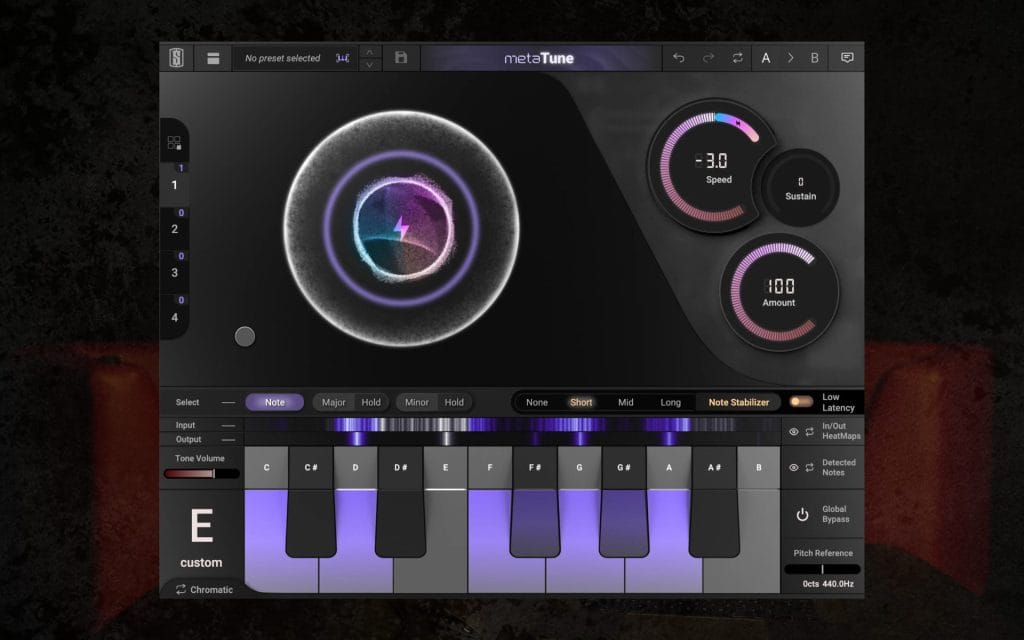
MetaTune stands out to me because it makes the correction amount very clear and easy to control. I can quickly set the pitch lock tightness, then adjust from there based on how natural or aggressive I want the result to feel.
The grouping feature is especially useful when I am working with stacked harmonies, because I can adjust multiple instances together without opening each one separately. I also like that it includes additional production-style features, so it can integrate into a broader vocal chain rather than functioning as a single-purpose insert. During tracking, I can leave it active and refine settings later once I move into mix mode. It fits well into a modern production workflow where speed and consistency matter.
When I want automatic tuning with a bit of extra flexibility, MetaTune is a solid option.
MetaTune vs. Melodyne
Compared to Melodyne, MetaTune does not aim to give me surgical note editing.
Melodyne is still stronger when I need to reshape pitch curves or fine-tune phrasing at a granular level. MetaTune is attractive when I want efficient correction with grouped control and I do not plan to spend time manually editing every note.
Brainworx bx – crispytuner
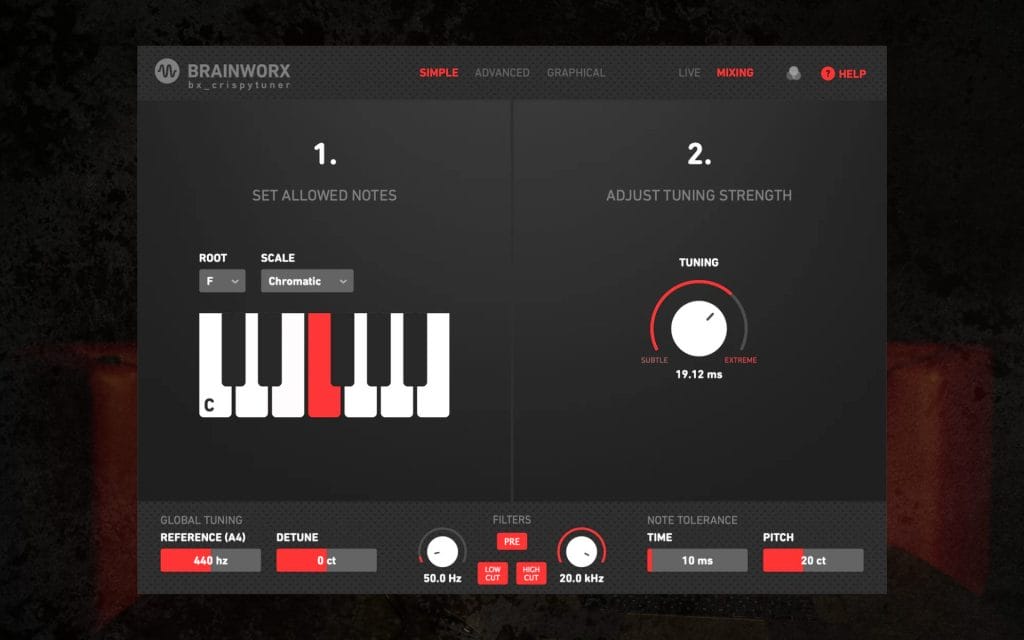
bx – crispytuner feels versatile because I can switch between simpler modes and deeper editing modes depending on what the session requires, which is nice, and which is why it sucks to write this article with the recent news of Native Instruments restructuring their brands, Brainworx included, making the future of this plugin unclear.
I dig the scale detection feature because it speeds up setup when I am moving quickly between tracks. If I am tracking, I can use its low-latency configuration; if I am mixing, I can switch to graphical editing for more precise control. The ability to draw pitch contours and adjust formant parameters gives me the flexibility I need without requiring another tool.
I also like being able to enable or disable specific notes in the scale, which helps when automatic detection grabs something unintended. For producers who prefer perpetual licenses, this can also be a practical long-term investment. It covers a wide range of tuning needs inside a single plugin.
Brainworx bx vs. Melodyne
Compared to Melodyne, bx – crispytuner provides strong editing flexibility but does not replace Melodyne’s deep ARA-based workflow. Melodyne still excels when I want to manage complex edits across entire performances, including polyphonic material in higher editions. bx – crispytuner works well for me when I want flexibility inside one insert without committing to a heavier editing environment.
Auburn Sounds Graillon 2
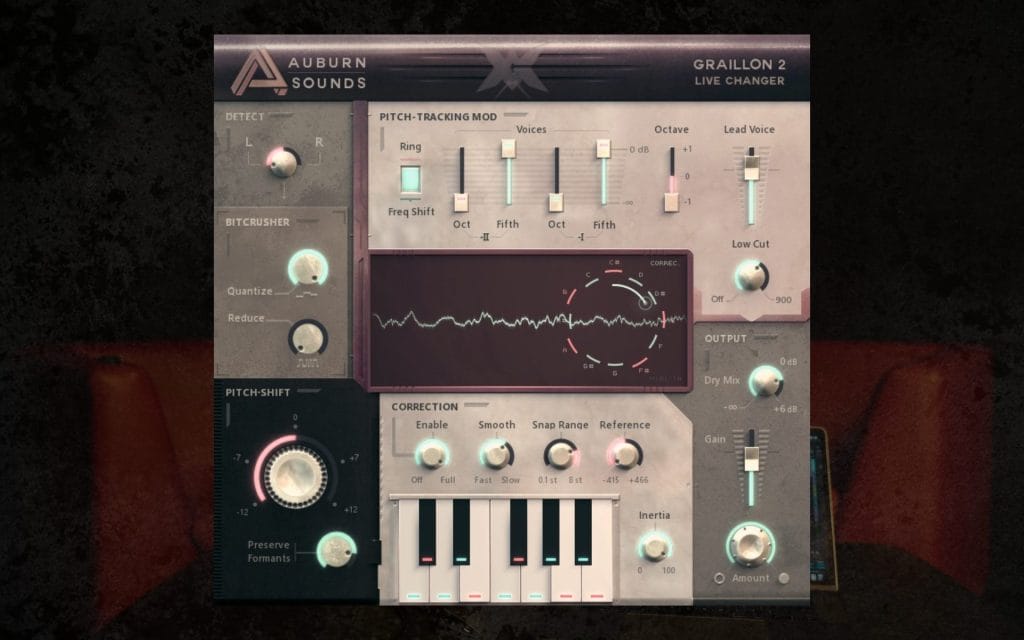
Graillon is interesting because it blends pitch correction with voice shaping tools inside one interface. I can correct pitch, shift formants, and add additional effects like compression or modulation without building a long chain of plugins.
The pitch engine can stay subtle or move into tighter correction depending on how I set it, which makes it adaptable across genres. Because it supports low-latency operation, I can use it in tracking scenarios where I want the performer to hear the processed sound immediately. The multiple pitch engines give me different tonal responses, which can be creatively useful in electronic or experimental sessions.
When I want tuning and vocal character shaping together, Graillon gives me that in a compact format. It is especially appealing when I want a flexible solution that handles both correction and creative processing.
Graillon 2 vs. Melodyne
Compared to Melodyne, Graillon is oriented toward real-time correction and vocal transformation rather than detailed offline editing. Melodyne remains stronger when I need to fine-tune pitch drift and timing with precise control across long takes. Graillon draws me in when I want tuning to feel like part of the production sound rather than a post-session cleanup step.
Choosing the Right Melodyne Alternative in 2026
When I am picking between these Melodyne alternatives in 2026, I start by asking how I plan to work in that session and what my needs, or the needs of the artists, are. If I want real-time correction during tracking, I lean toward Auto-Tune 2026, Waves Tune Real-Time, MetaTune, or Graillon.
If I want note-level editing inside a plugin window without opening a dedicated editor environment, RePitch and bx-crispytuner make sense. If I want fast, repeatable results inside a cohesive vocal chain, LANDR VoxTune and the broader LANDR ecosystem fit naturally into that approach.
Melodyne still holds its place when deep, detailed editing is the priority. In my workflow, I often pair a real-time tuning tool with a deeper editor to cover every scenario. The right choice ultimately comes down to how you like to work, how quickly you need results, and how much control you want once the performance is on the timeline.
The post Melodyne Alternatives in 2026 – What to Use Instead appeared first on Magnetic Magazine.