




Table of Contents
Delay plugins are one of those things I reach for constantly, but I also tend to get frustrated with them faster than I expect. I will dial something in that feels good for a bar or two, then either the repeats disappear into the background or they start taking over the entire mix once feedback comes up. I have had plenty of moments where I liked the idea of what a delay was doing but could not quite get it to sit in a controlled way.
That was the headspace I was in when I started using Lunacy Taps and Portals.
What I noticed pretty quickly was that I was thinking less about feedback amount and more about placement. I could hear multiple repeats clearly even with feedback pulled back, which changed how I approached timing almost immediately. Instead of riding one knob and hoping it behaved, I found myself shaping a sequence.
Portals picked up that same idea once I moved into BEAM. Feedback stopped feeling like something I had to treat carefully and started feeling like a routing decision I could design around. The collaboration with Benn Jordan shows up in these choices, because everything feels grounded in real use rather than theory. After a few sessions, it became clear that this was built for people who want delay to stay present and intentional in a track but who also want a plugin that can make a wild impact to the sound with just a few clicks (oddly enough, this latter point is harder to find these days than you’d imagine!).
So let’s dive into the full review with a few audio exmaples of my favorite presets.
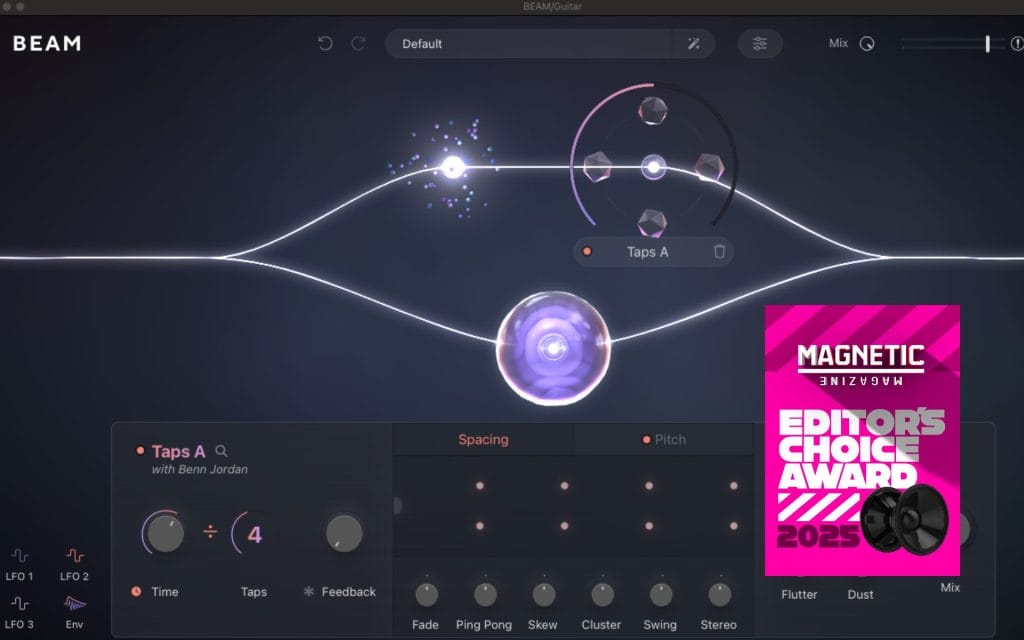
Editor’s Choice Award
When it comes to our Editor’s Choice Award, we usually hold off unless something genuinely changes how a category feels in day-to-day use. I see a steady stream of delay plugins every year, and most of them feel like refinements on ideas I already know well.
With Taps and Portals, I kept finding myself reaching for it in situations where I normally would not bother with delay at all. Benn Jordan’s influence shows up in how intentional the design feels once you start pushing beyond basic repeats and start shaping rhythm, motion, and texture as part of the composition. I found new uses for it almost every session, especially when building movement into sparse arrangements or experimenting with feedback in a controlled way. It never felt like a novelty tool that burns bright and fades fast. That combination of originality, depth, and real-world usefulness made this an easy Editor’s Choice decision for us.
Taps Multi-Tap Delay Engine and Timing Control
The tap count control ended up being the first thing I kept coming back to. I found that even small changes, like moving from three taps to five, immediately shifted the groove in a way I could react to musically. I did not have to wait for feedback to build or manage long tails, which made experimenting feel fast and low pressure.
Divide and multiply modes became part of my normal workflow pretty quickly.
I would leave my project tempo alone and just cycle through timing relationships until something locked in. If you are trying this for the first time, I recommend dropping Taps on a rhythmic synth or percussion loop and just flipping through these modes while the track plays. You will hear what works almost instantly.
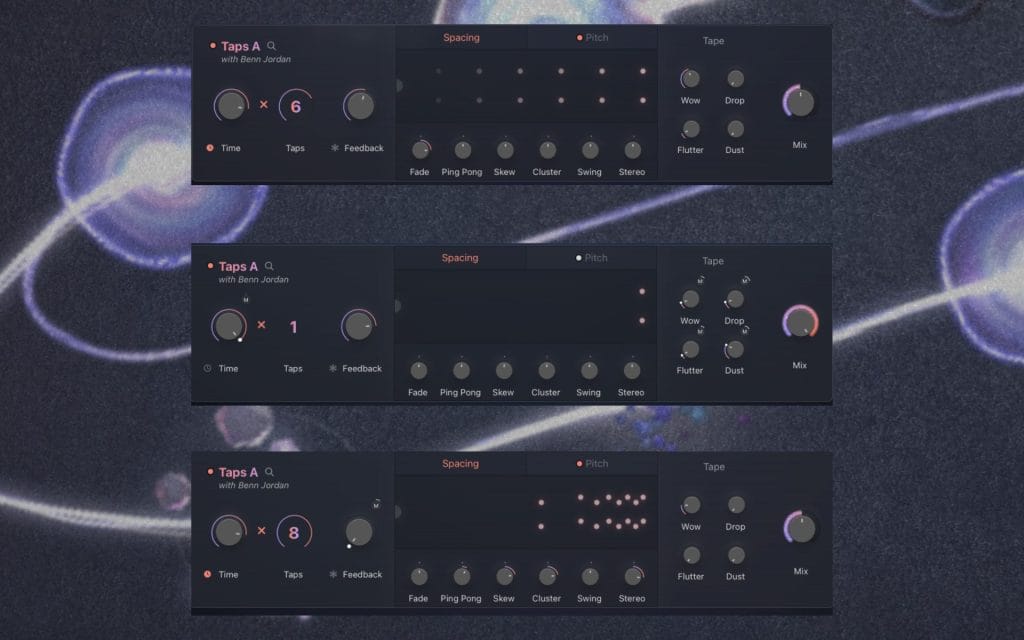
The spacing controls were another surprise. Swing and skew do not feel like special effects here.
They feel like pattern tools. I liked using them when something felt stiff but I did not want to automate timing by hand. You can reshape how repeats relate to each other without leaving the plugin, which keeps you moving instead of getting buried in details.
Pitch, Tape Processing, and Per-Tap Control in Taps
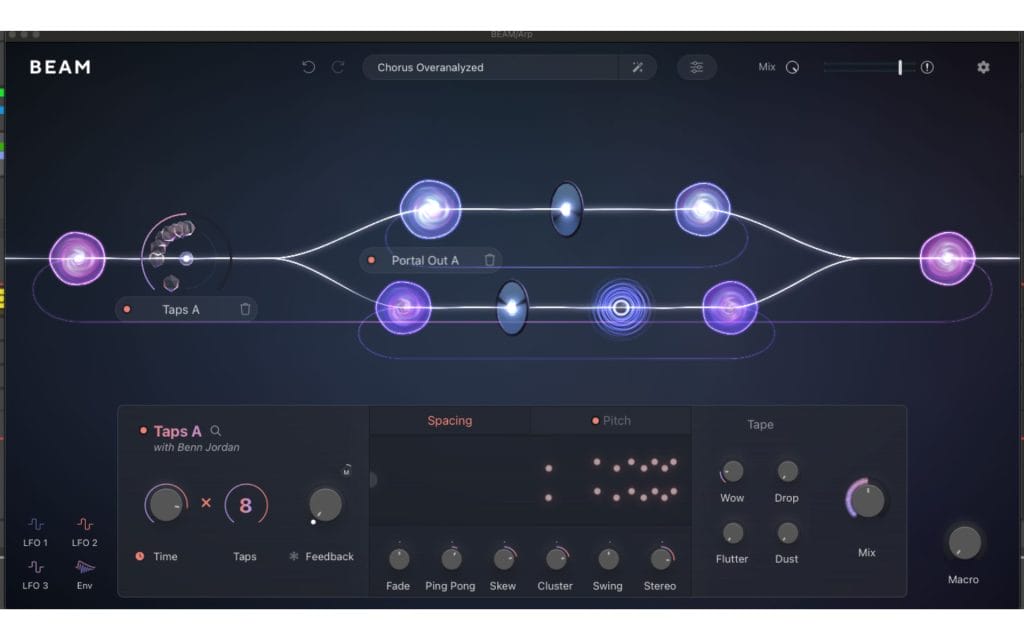
Pitch control is where Taps really started to feel like more than a utility for me. I discovered pretty quickly that pitching repeats in semitone steps while referencing the root note kept everything grounded, even when things got dense. I used this a lot on keys and simple synth lines, where delays often clash harmonically if you are not careful.
If you are getting your hands on this, try setting up a basic melodic loop and assign different pitch offsets to each tap. I found that even subtle pitch shifts created movement that felt intentional rather than decorative. It stayed musical instead of drifting into effect territory.
The tape section became something I used sparingly but consistently.
Wow and flutter added just enough variation to keep repeats from feeling static, and dust and drop worked best when I treated them like seasoning rather than a main ingredient. Freeze was another feature I underestimated at first. I ended up using it to turn short, percussive sounds into sustained textures without bouncing audio or building a separate chain. That kept me inside the creative flow instead of breaking it.
Portals Feedback Architecture Inside BEAM
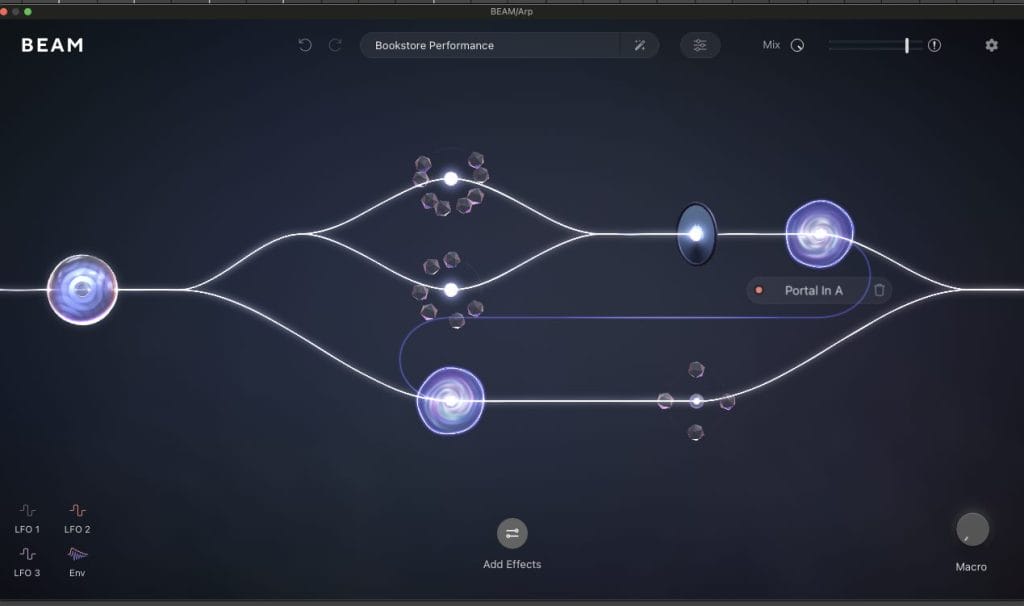
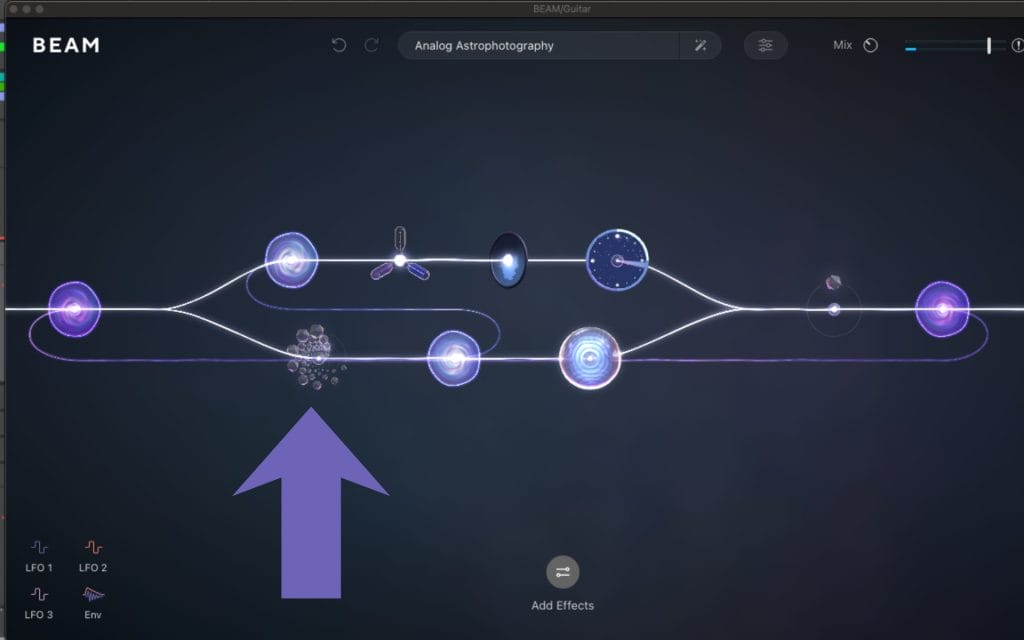
Portals took a bit more time to click for me, but once it did, it completely changed how I think about feedback. Being able to see where feedback starts and ends through in and out nodes made complex routing feel approachable. I could follow the signal path visually, which gave me the confidence to experiment.
One of the first things I tried was placing modulation and filtering between portal nodes, and the cumulative effect was immediately obvious. Each pass through the loop reshaped the sound in a predictable way. That predictability mattered, because I could recreate results instead of guessing.
Using multiple portals in parallel opened up layered motion that filled space without adding new parts. I found this especially useful in sections where arrangements felt empty. Built-in delay and gate controls helped manage density, and the limiter inside BEAM quietly did its job while I pushed things further than I normally would. I also learned a lot by pulling apart the included presets and tracing how they were built.
Workflow, Presets, and Practical Considerations
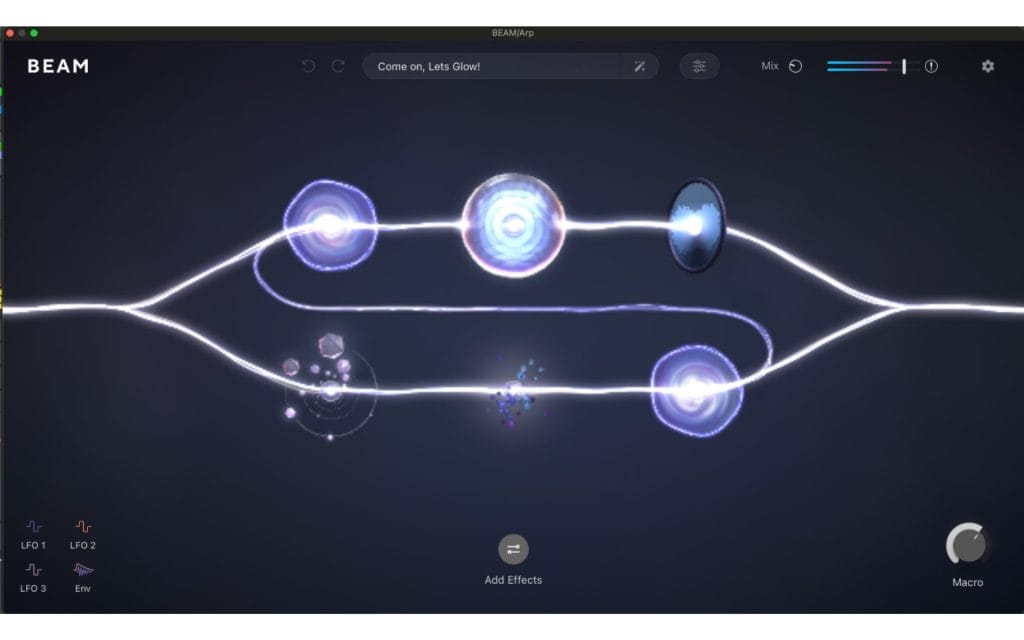
What kept me coming back to Taps and Portals was speed. Small moves led to audible results fast, which fits the way I like to work during writing sessions. Presets felt like demonstrations rather than solutions, and they gave me a sense of direction without locking me in.
There are things worth being aware of though…
Portals requires BEAM, so you need to be comfortable working inside a modular environment. That structure takes some adjustment if you are used to linear chains, and feedback routing rewards attention and intention.
Still, everything here feels designed to work together. Taps and Portals extend what BEAM already does instead of pulling it in a new direction. If you enjoy shaping motion, rhythm, and transformation inside your effects, I suggest spending time exploring rather than rushing to conclusions. The more I used this package, the more it felt like a toolset that grows with you instead of something you outgrow quickly.
The post Lunacy Taps and Portals Brings Wild Delays (…And Why It Easily Won Editor’s Choice)[Review] appeared first on Magnetic Magazine.