


If you are trying to figure out how to put your music on Spotify, the first thing to note is that the upload itself is not usually what trips artists up. Spotify does not take direct uploads from independent artists, so you need a distributor to deliver the audio, artwork, credits, release date, and metadata. Spotify’s own setup guide tells artists to choose a distributor first, upload lossless files, add metadata, claim Spotify for Artists, and prepare the release before it goes live. While that does offer a technical path in plain terms, the real work comes later, when it’s time to prepare the release to give it a better shot once it lands.
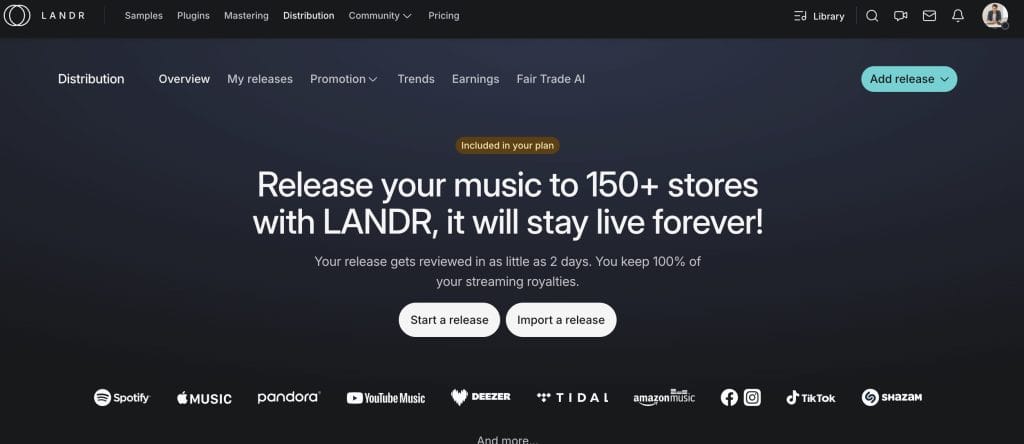
That is also why I think LANDR is worth discussing in the context of distribution, because it does not present itself as just a tiny upload form. LANDR, who was kind enough to sponsor this article, puts distribution next to technical mastering, creative plugins, samples, courses, collaboration tools, promo links, stats, and even lyrics support, so if you are the kind of artist who wants a lot of your release workflow under one login, the platform is built for that use case.
Everything At A Glance
When I think about getting music on Spotify, I never start with the phrase “How do I upload this?” I start with “Is this release actually ready?” because that second question saves you time, keeps your rollout cleaner, and usually helps your music show up stronger. If you are coming at this from a producer mindset, that shift is incredibly important, because it moves you from treating distribution like admin you rush through on a Friday afternoon to treating it like part of the release itself.
So let’s dive into the weeds on how to put your music on Spotify (for both indie musicians and labels alike).
Start with the release, not the dashboard
Before you upload anything, you will of course need a few things sorted out.
You’ll want the final master printed, you’ll want the cover art done, you’ll want the track title and artist name locked, you’ll want the release date picked with enough lead time, and you’ll want to know who owns the composition and who owns the master (this could probably be a topic for a completely different article…. in due time). You should think the same way, because these are the details that tend to cause delays, incorrect credits, payout headaches, or a release hitting stores later than you promised your audience.
Spotify’s own onboarding pages point artists toward release-ready files, metadata, cover art, and profile setup before release day, and that lines up with how I would tell any artist to approach it!! It’s just that important.
This is also where I would give you one piece of dance music advice that I think is helpful. If the track is aimed at streaming, I have found that a radio edit often yields a stronger Spotify version because it gets to the point faster and better fits how people consume music on streaming services. Spotify tracks listen time and engagement with music, and if a listener skips a track a minute in, it’s simply because it has 32 bars of DJ-friendly drum intro bits that could hurt its chances of picking up in the algorithms.
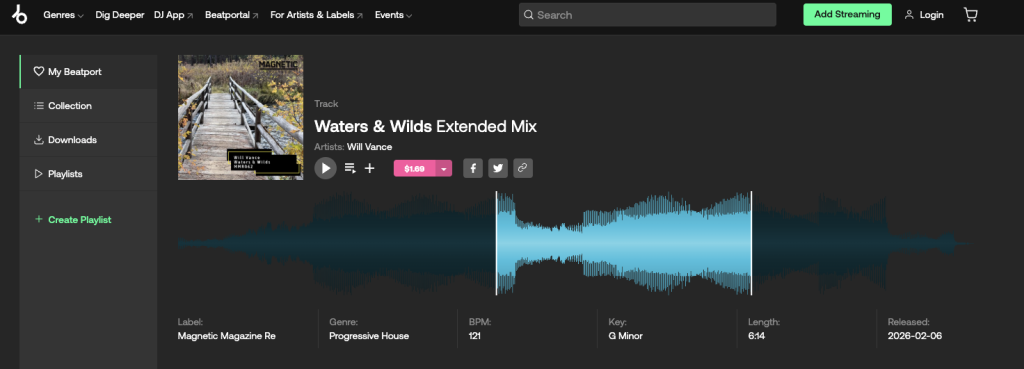
If the track is also aimed at DJs, I would keep a separate extended version for Beatport and download stores, because DJs still want the longer intro, longer outro, and the full arrangement. That split can help you serve two audiences without asking one version of the record to do two jobs at once.
I would also keep Bandcamp in your thinking from day one, because distribution to Spotify and the main DSP network does not cover every community-facing platform you may care about. LANDR’s distribution pages focus on 150+ DSPs and social platforms, and LANDR’s own blog also points artists toward releasing on Bandcamp directly as part of a wider release approach. So if Bandcamp is part of your relationship with your audience, handle that upload yourself as its own step instead of assuming the distributor covers it for you.
Why LANDR works well for this kind of release plan
From my perspective, the biggest draw of LANDR is that it can handle many of the pieces you are already working on as you get a release ready. LANDR says its distribution gets your music onto almost all DSPs and also provides instant access to Spotify for Artists, royalty splits, promo links, trends, and earnings data, cover song licensing, and lyrics support through Musixmatch. If you are already using LANDR for mastering, or if you want your distribution, mastering, promo links, and reporting under one roof, there is a big-time convenience that is hard to ignore.
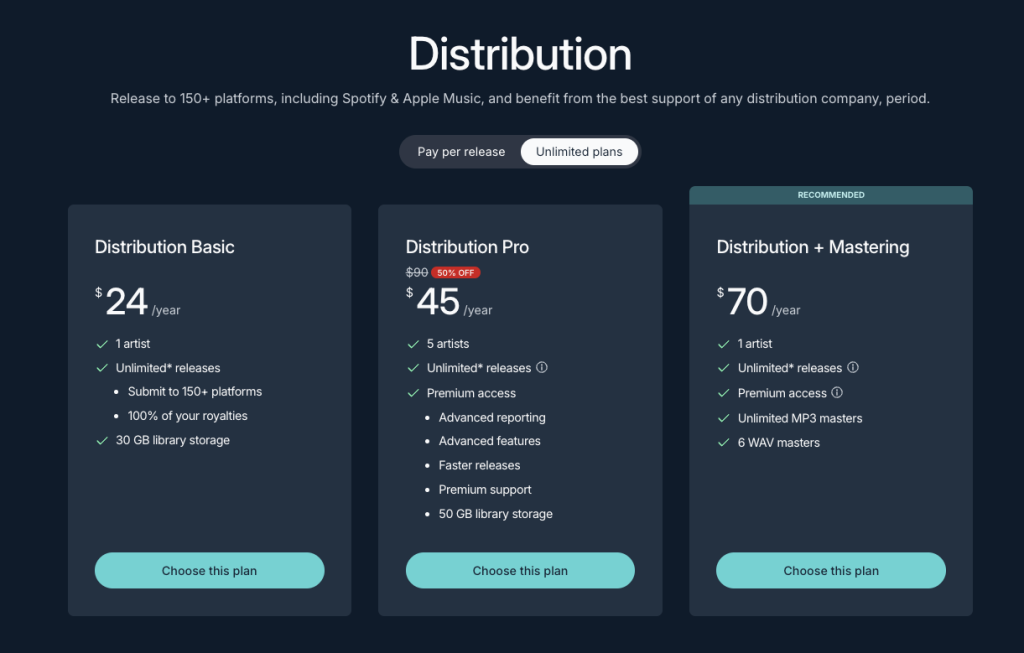
That platform also changes how I think you should evaluate the subscription because if you are looking for distribution alone, price will be your first question, and LANDR’s release pricing starts at $24 per year. If you are looking for a setup where distribution lives next to mastering, plugins, samples, and education, then the value comes from using those tools regularly instead of letting them sit there untouched.
LANDR’s pricing and product pages make that structure pretty dang obvious, too, because the release plan sits alongside plugin access, sample tools, educational content, and AI mastering features rather than acting like a separate island. Your release schedule as an indie aritst or producer is an ecosystem, not an island, and LANDR’s ecosystem is holistic by design.
I also think LANDR fits a few specific situations for artists well.
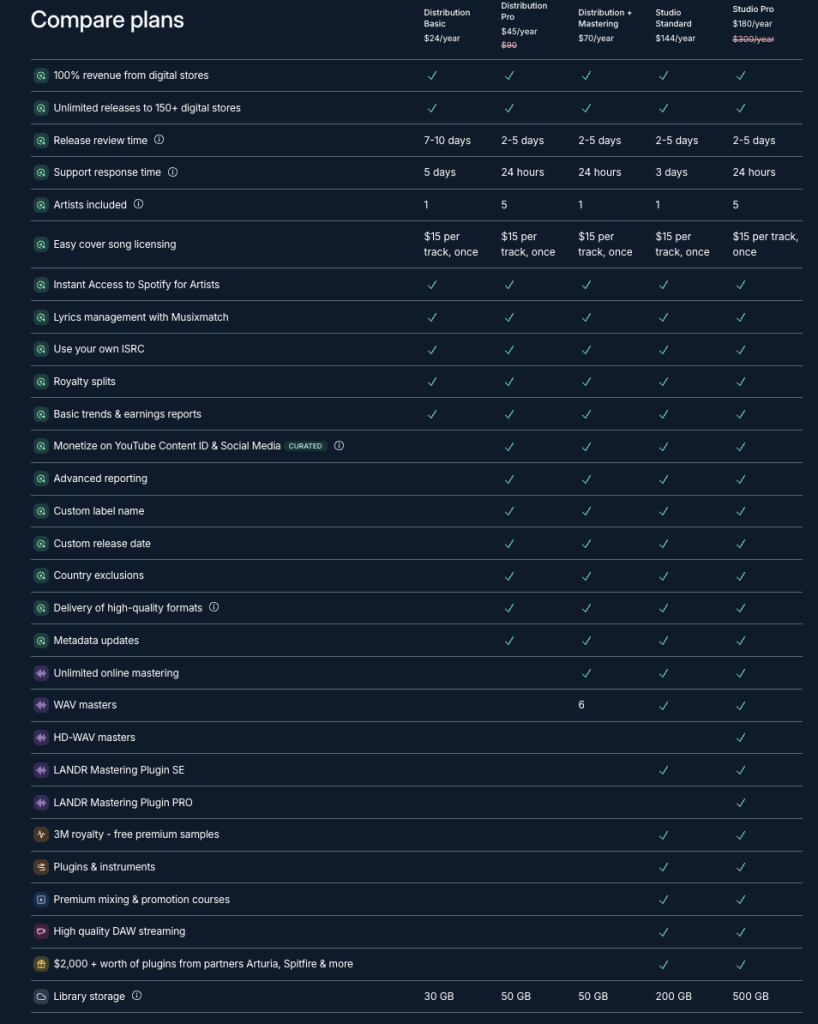
If you are new and you do not want to piece together five subscriptions from five companies, this kind of setup can shorten the learning curve. If you are releasing music with collaborators, built-in royalty splits help keep the back end cleaner. If you are a small label or a producer managing a few projects, LANDR’s pricing pages also show multi-artist options and faster review on higher release tiers, which can make the service easier to scale with.
Timing is where a lot of releases help themselves or hurt themselves
This is the part of the process I would take super seriously if your goal is Spotify traction, not just store delivery.
Spotify’s own pitching and release pages say you should deliver music early because Spotify for Artists is the only way to pitch unreleased music to editorial teams, and Spotify says pitching at least seven days before release gets the track onto your followers’ Release Radar. Spotify’s release guide also says that two weeks before release gives playlist editors more lead time, which aligns with how I think artists should plan.
In practice, I would tell you to aim even farther out than that. If you pitch one week ahead, you are covering the Release Radar side and keeping the song in the right lane for first-week discovery. If you want to shot your best editorial shot, two weeks is Spotify’s recommendation, but I still like a month when the calendar allows it, because release week gets much easier when your pitch, cover art, pre-save campaign, socials, and direct links are already lined up.
That buffer also gives you space for mistakes, and there is almost always one detail that needs cleanup before a release is truly ready.
LANDR helps with timing, though I would still tell you to leave yourself room. LANDR’s even says music can go live in as little as two days, and its distribution materials also promote faster review and stronger support on higher release tiers. That is pretty good, but I would treat the fastest timeline as a lucky outcome rather than the baseline for your planning.
Uploading late is one of the easiest ways to lose control of your release, and once the date is public, a delay feels much bigger than it did in your dashboard.
The release details deserve a second pass
I almost cut this section of the article for redundancy, but I think it’s worth revisiting just to ensure it’s on the front of your mind, and for those following this guide from start to finish, it’s a worthwhile second touch point that can save you hours per release (I’m speaking from experience here)
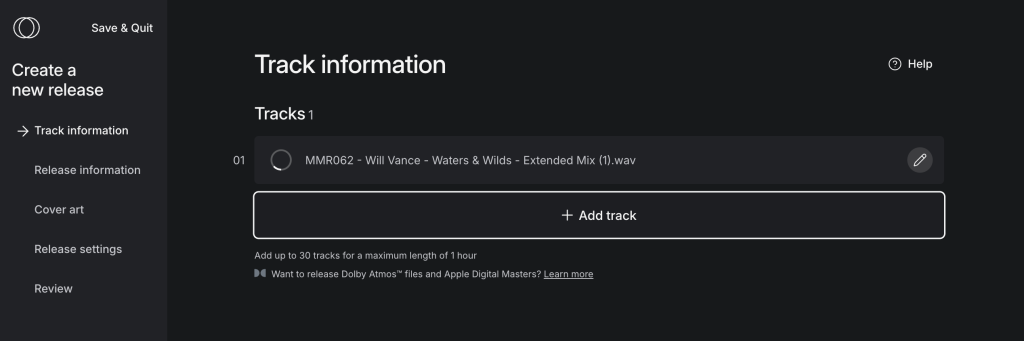
One thing I dig about LANDR is that it puts release tools around the upload itself, because a lot of artists need help with the admin around a record and not with the act of dragging a WAV into a browser. LANDR highlights royalty splits, earnings reports, trends data, promo links, and instant Spotify for Artists access as part of the release package, and those features are useful because they tie into the work you do after the track is delivered.
The upload is one moment, but the release carries on after that, and I think artists benefit when the service reflects that.
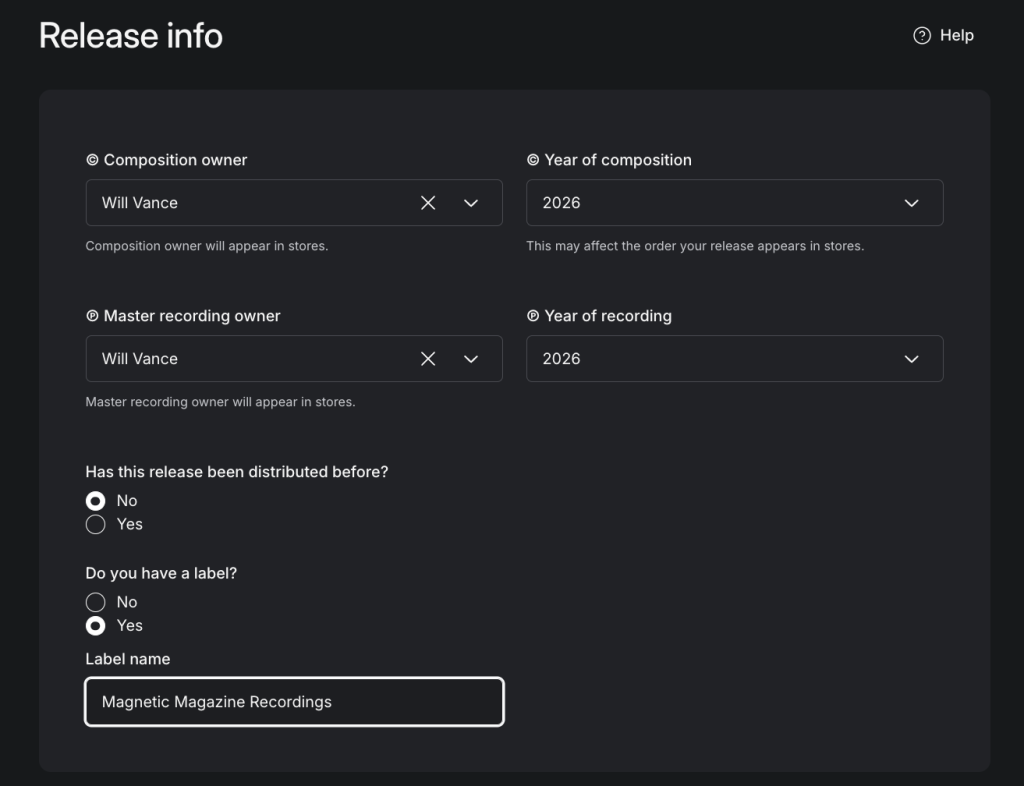
I would still tell you to slow down when it comes to ownership and credits, because this is where lawsuits could bite you in the butt. If you wrote the song and recorded it yourself, the composition and the master may list you in both fields. If you worked with writers, singers, producers, or a label, that picture gets different pretty quickly, and that is exactly why I think artists should learn the difference before they start releasing. The same caution applies to revenue splits. LANDR’s royalty split system is designed to help you distribute income cleanly, but it still depends on you entering the right people and percentages in the first place.
If you are releasing a cover, LANDR has a pretty practical feature here, too. Cover song licensing is available for a one-time $15 fee per song through LANDR, which can save you time because you don’t have to leave the release flow to chase licensing elsewhere. My advice is simple, though, on this one: if you are uploading a cover, use the built-in licensing path, because rights shortcuts have a way of turning into headaches later.
Lyrics are another detail artists leave too late, and that is a missed opportunity if lyrics are part of how people connect with your work. LANDR says lyrics can be distributed through its Musixmatch partnership, and that can place your lyrics on Spotify, Apple Music, and Instagram once your release is live. If lyrics are part of your release presentation, I would handle them as part of release prep and not as cleanup after the fact.
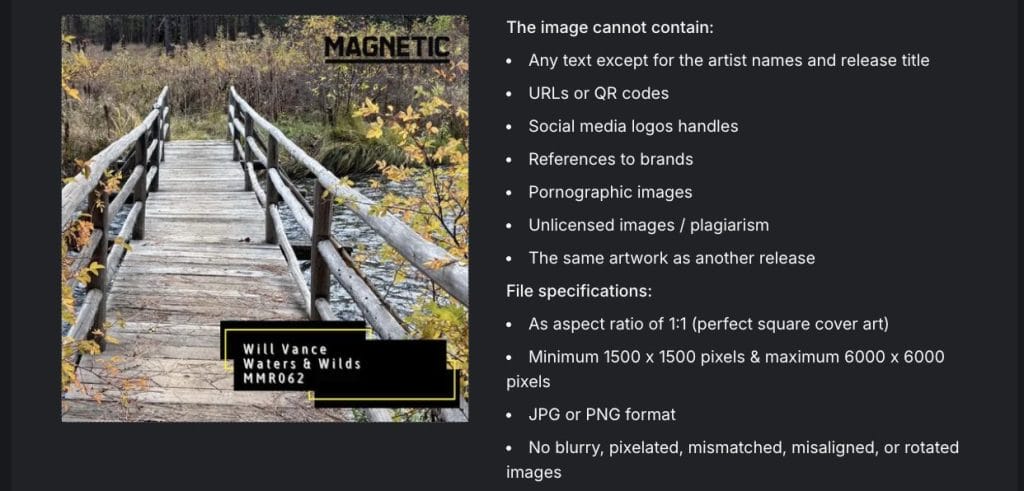
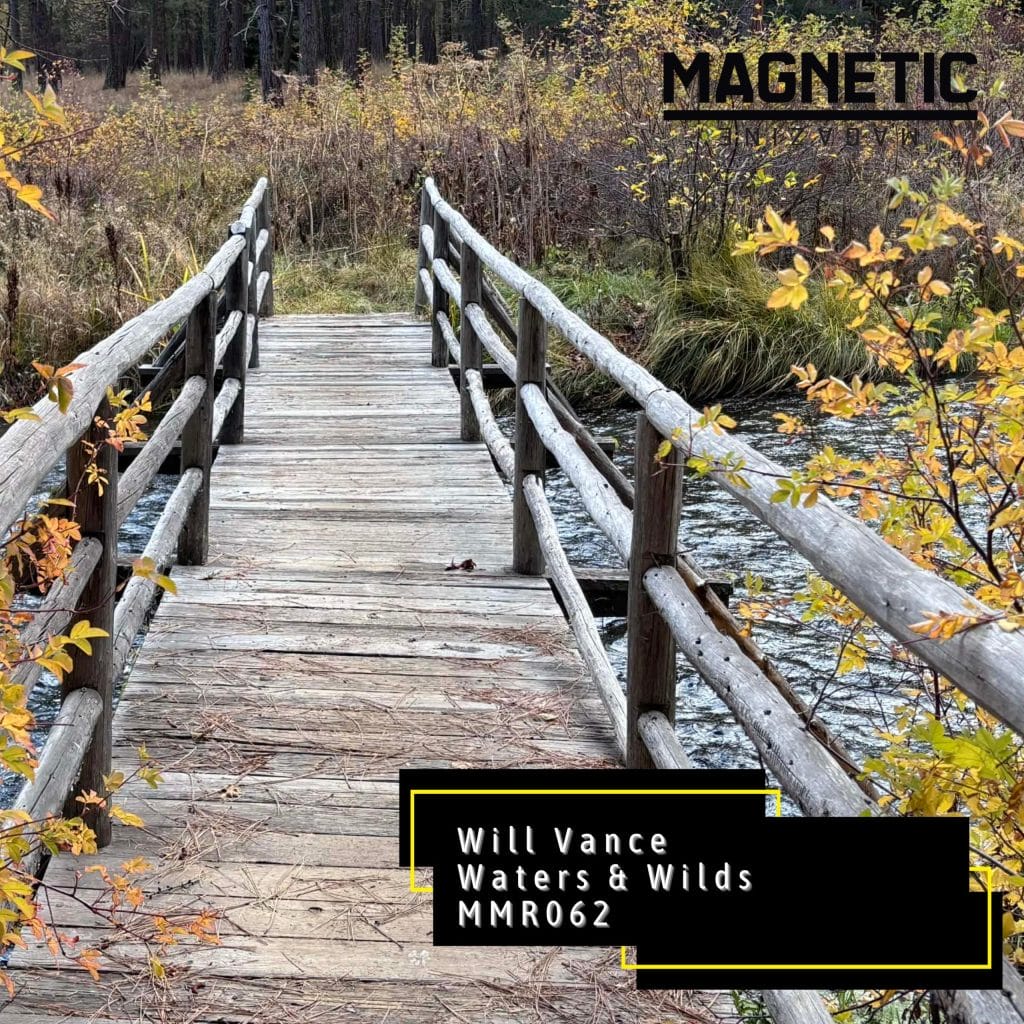
Artwork is the other place where avoidable mistakes show up. Spotify expects cover art through your distributor, and LANDR’s release guidance tells artists to treat art and metadata as part of the core upload package. My rule here isn’t complex at all: use a high-resolution square image, keep it readable at thumbnail size, and do not leave this until the final night before submission. You can lose a lot of time fixing a cover that looked fine in your downloads folder and weakens once it hits the release form.
Catalog control, migration, and a few cautions I would keep in mind
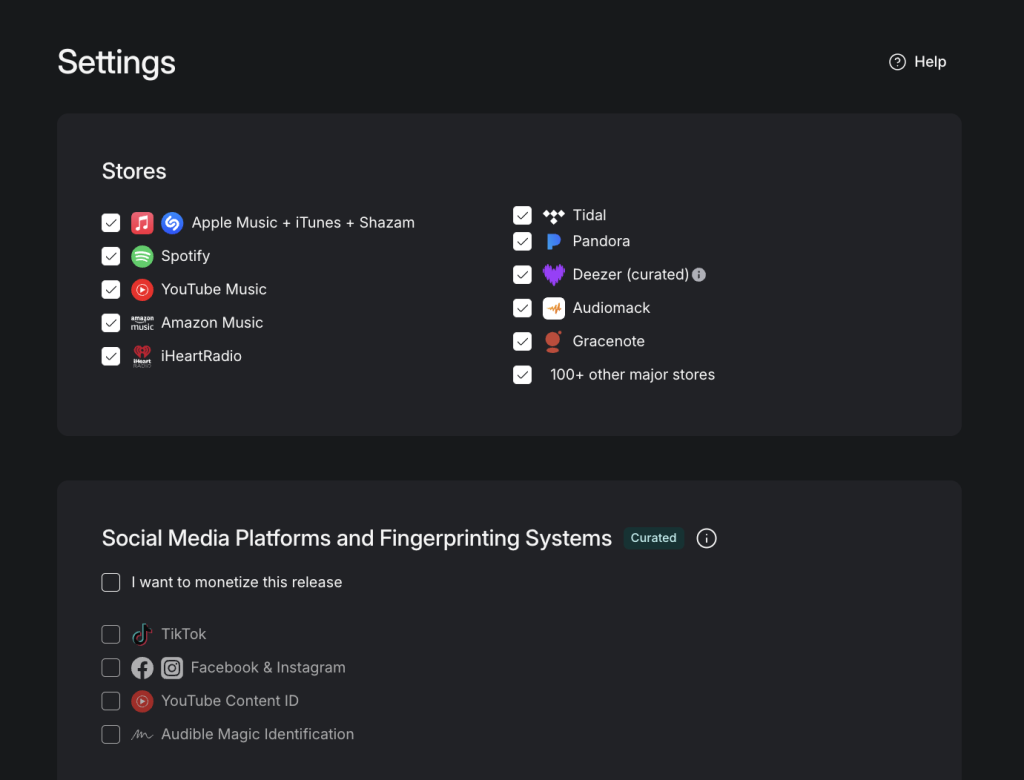
A detail I like in LANDR’s system is that your music can stay live after you cancel, which helps if you want long-term catalog stability without feeling trapped in a yearly payment. LANDR’s distribution pages say your music stays live after cancellation, and LANDR’s support say the company takes a 15% commission on royalties after cancellation. At the same time, the releases remain in stores unless you request removal or the release violates policy.
That is useful for artists who care about keeping a catalog online, and it is the kind of policy I would want to understand before choosing a distributor.
If you are moving a catalog from another distributor, I would be careful and methodical. LANDR’s migration materials say the service can pull identifiers from existing Spotify or Apple Music URLs, and LANDR’s ISRC guides and migration guide both stress using the same ISRCs, the same metadata, and the same audio files to preserve continuity. Now this isn’t uncommon between distributors, most of the time when you’re moving over distribution, the new company will be able to support here but it does give confidence that you can move into LANDR’s ecosystem when the time is right or, if you don’t like how they work, safely move to a new distributor when you feel you need to.
That lines up with how I would tell you to handle a move: the moment you start changing metadata or swapping in a new file when the stores expect the original recording, you make the transition harder than it needs to be.
I would also read the AI and monetization settings carefully.
LANDR even goes as far as to say that low-effort AI audio can run into limits and that a monthly cap applies to AI-generated tracks, and LANDR’s Fair Trade AI materials say you can opt in to AI training if you control the rights. At the same time, the program pays participants a portion of the revenue and allows them to opt out later. That is not a box I would click casually, especially in this day and age. If you are interested in AI revenue, read the terms, look closely at the rights requirements, and make the call with a full understanding of what you are allowing.
Final thoughts on how to put your music on Spotify
If you want the short version, here is how I would put it.
Get the release fully ready before you open the distribution tab, split your streaming version and DJ version if the format calls for it, leave yourself enough time for Spotify pitching, and treat metadata, ownership, lyrics, and artwork with the same care you give the song itself. Then choose a distributor that fits the way you actually work. Spotify requires that the distributor step, and LANDR provides a version that also includes mastering, promo links, lyrics support, royalty splits, reporting, and a broader set of artist tools for the release.
That is why I think LANDR can work well for artists who want their release process in one place, and it is also why I would still tell you to bring a professional level of care to the details yourself. A good distributor helps, but your planning is what sets the tone for the release. If you give yourself time, keep your admin clean, and use the tools with some intention, you put yourself in a better position on Spotify from day one.
The post How to put your music on Spotify: Release timing, metadata, and rollout tips for artists appeared first on Magnetic Magazine.