





Table of Contents
The way I understand the Volt 876 from Universal Audio is pretty simple: it exists for people who have hit the ceiling of a two-channel interface and are now doing real recording work. Not hypothetical sessions, not “one mic at a time” projects, but actual multichannel tracking where multiple musicians are doing their thing all at once.
I see it as a clear step up without forcing you into a full DSP-dependent ecosystem, which is a specific distinction that gets glossed over in a lot of conversations about interfaces at this level.
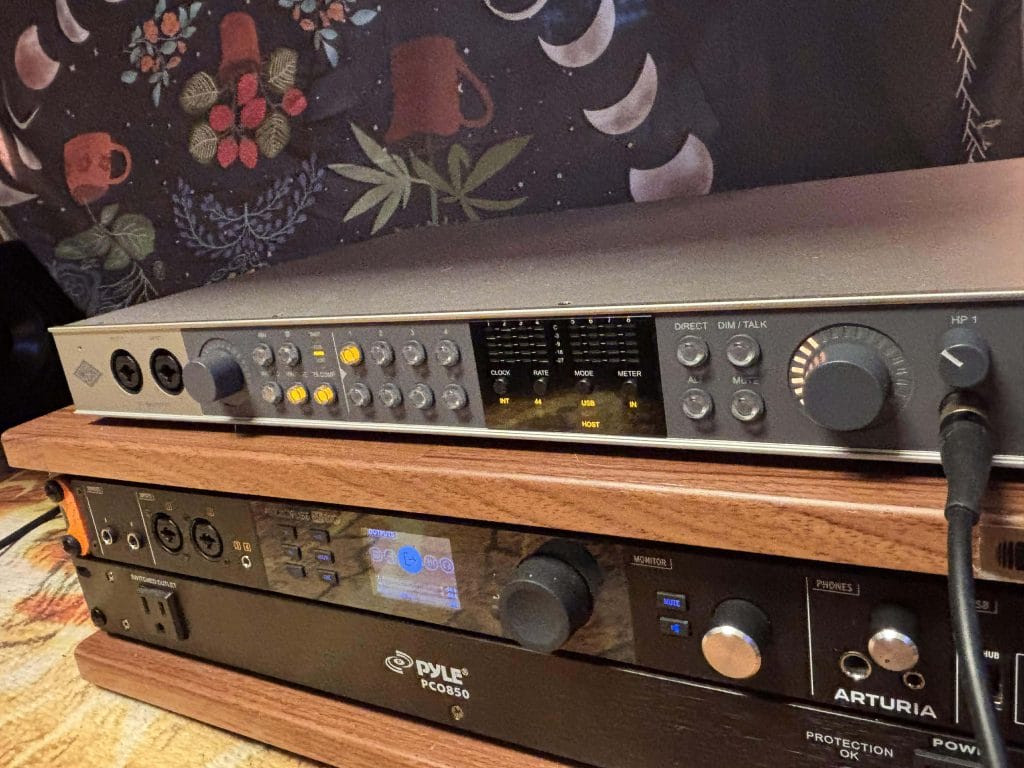
I’ve been using the Arturia AudioFuse 16Rig USB Audio Interface for over a year now which was a massive upgrade from the Universal Audio Volt 476P I was using before that; so getting my hands on the 876 felt like coming home after studying abroad: returnign back to the Volt ecosystem which I legit LOVED but with all the bells, whistles and internal upgrades of a rack mounted interface designed for all the new synths I’ve collected over the last few years. You’ll actually see my Arturia interface in a lot of the images below because I was really doing a ton of A/B testing on which I liked more. Remounting a rack interface takes a bit of muscle, so I wanted to be super before committing to a larger swap entirely.
I also think it’s worth calling out that staying class-compliant over USB across operating systems feels like a philosophical shift for Universal Audio. That choice matters long-term, especially for studios that value system independence or move between machines. This interface feels designed for working environments, not locked workflows. But with all the vibe checks and first impressions out of the way, let’s get into the nitty-gritty!
What the Volt 876 Is Designed To Be
The Volt 876 feels purpose-built for people who have officially outgrown two-channel recording and are now working in situations where scale matters; sure, I talked about this above, but let’s unpack that a bit more. I’m talking about drum kits, multiple amps, live band takes, and sessions where you don’t want to think about whether your interface can keep up because you already have enough to think about. What I dig is that it gives you that scale without forcing you into a fully DSP-dependent system that dictates how you monitor, process, and commit sound.
I see it sitting comfortably in the upper mid-range market, where expectations shift away from personality and toward consistency. At that level, I’m no longer impressed by gear having a “vibe,” I care about whether it behaves the same way every time I power it on and whether it integrates cleanly into what I already own. The Volt 876 leans into that mindset hard, focusing on clean conversion, predictable gain structure, and expansion options that don’t require a full system rethink.
Another low-key thing that makes this shine for specific use cases (and I know I might be getting a little niche here) is how naturally it fits as an ADAT expander for existing Apollo users too; if you already like your main interface and simply need more inputs, this solves that problem cleanly without forcing a replacement decision.
Physical Design, Rack Integration, and Studio Practicality
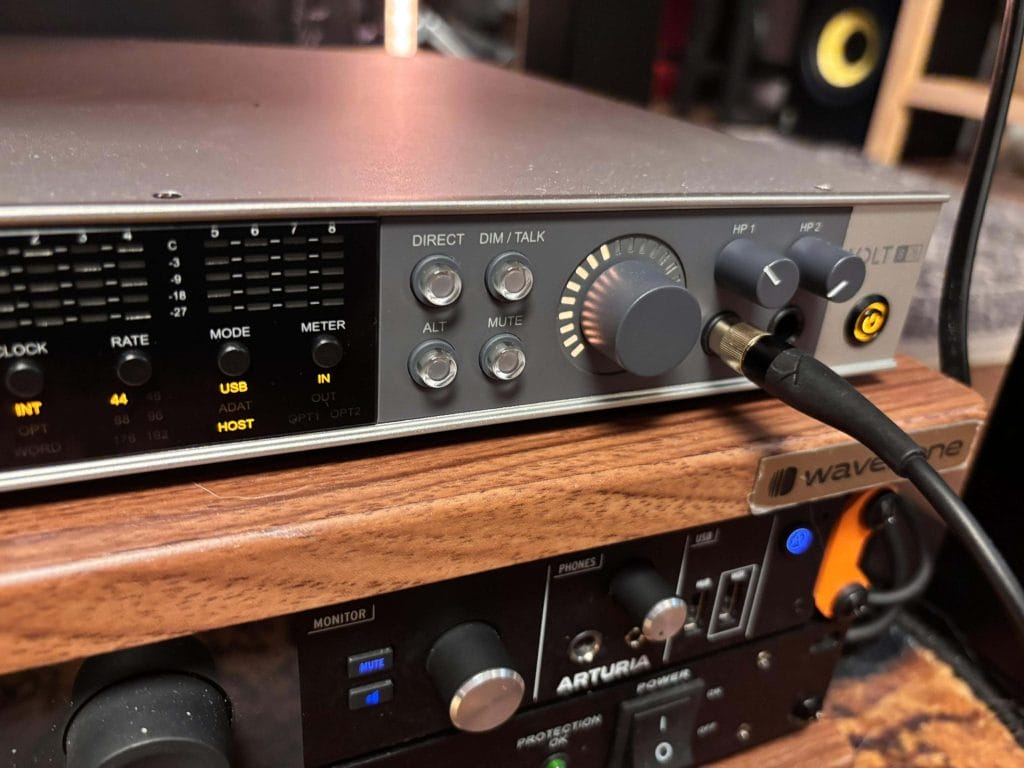
Physically, the Volt 876 does exactly what I want a rackmount interface to do, which is stay out of my way once it’s installed. Racking mounting is always a bit of a chore, espeically for things like this where you really need to do all your routing early on and it often means fighting with cables in cramped spaces. The 1U chassis drops easily into both permanent racks and mobile setups, and the build feels solid enough that I wouldn’t hesitate to move it between rooms or take it out on location. Nothing about it feels fragile or ornamental, which I actually prefer in gear that’s meant to be worked hard. That’s not to say the look isn’t a vibe; it’s rocking that classic UA Volt aesthetic just on a bigger scale.
The front panel layout is refreshingly logical, and even without prior experience with UA hardware, it’s easy to understand what’s happening at a glance. Controls are clearly labeled, spacing makes sense, and nothing feels buried or overly clever. That matters more than people admit, especially in sessions where you don’t want to stop and decode what a knob or button is doing.
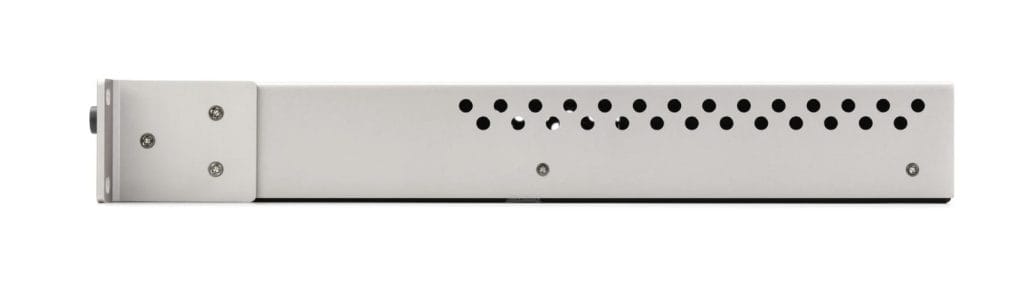
One detail I genuinely dug over time is the internal power supply paired with a physical power switch. Avoiding wall warts keeps racks cleaner and more reliable, and being able to power the unit on and off without pulling cables is one of those small quality-of-life things you notice every day. During long sessions, heat and stability never became topics of conversation, which is exactly how it should be, and that kind of invisibility is often the best compliment you can give studio hardware.
Connectivity Overview and I/O Architecture
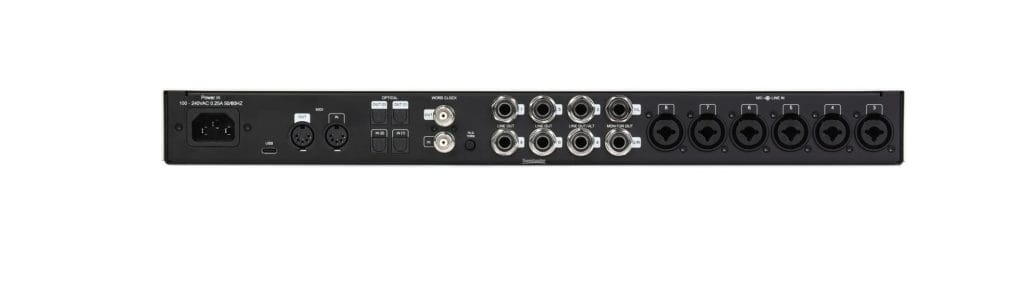
On paper, eight combo XLR-TRS inputs sound straightforward, but in practice it’s how those inputs behave that matters. I tracked synths, guitars, vocals, and other line-level hardware through the Volt 876 without ever needing to second-guess routing or gain behavior, and that predictability goes a long way when sessions are moving quickly. Everything responded the way I expected it to, which sounds boring until you’ve dealt with interfaces that constantly surprise you in the wrong ways. Plus, that onboard Volt compression really helps seal the deal here, too.
Line-level handling felt solid and consistent, making it easy to integrate outboard gear without extra calibration steps. Hi-Z inputs worked cleanly for direct instruments without any friction, and I never felt like I had to babysit levels to keep things under control. On the output side, the eight balanced TRS outputs gave me enough flexibility to manage monitors, cue mixes, and external routing without running into limitations.
The ADAT implementation is where the Volt 876 really earns its long-term value.
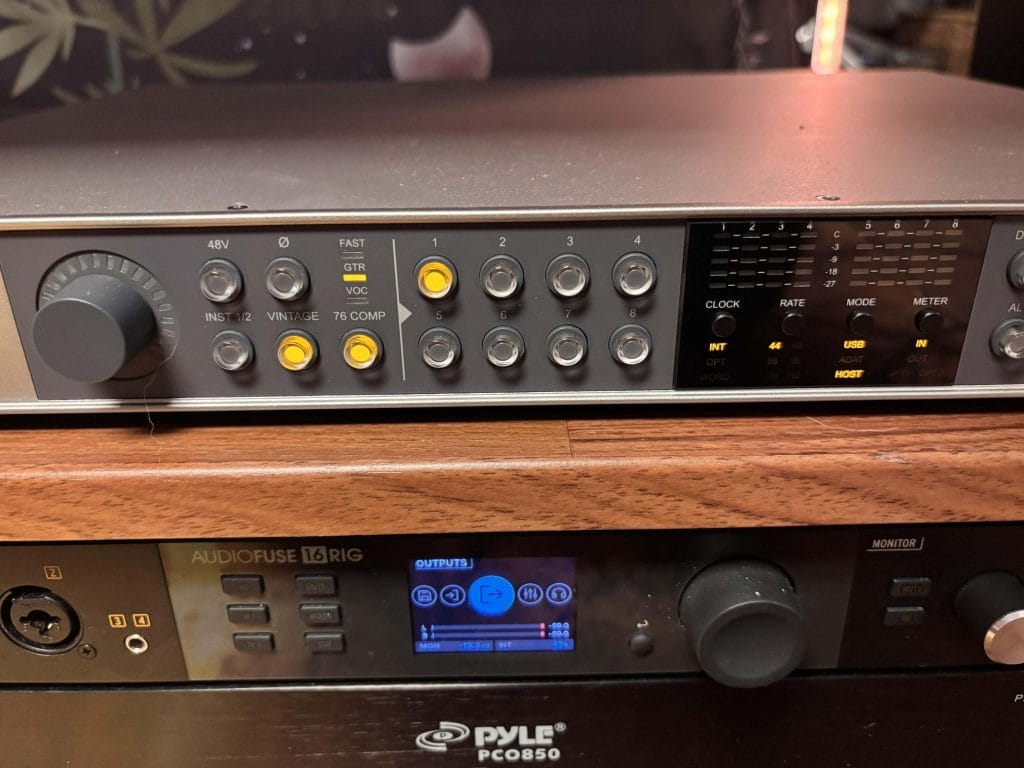
Being able to add up to sixteen channels or run the unit purely as a standalone expander means it doesn’t age out of your setup as your needs change. Word clock I/O reinforces that system-level thinking, and the inclusion of MIDI I/O is a quiet but important decision for producers working with hardware. These are the kinds of features that don’t grab headlines but make day-to-day work smoother.
Conversion Performance – 32-bit / 192kHz in Practice
In actual sessions, the biggest benefit of 32-bit capture was helped from a mental standpoint as much as it was a straight-up sonic one. When tracking dynamic performers, especially vocalists who don’t repeat takes the same way twice, that extra headroom removes a layer of anxiety from the process. I stopped worrying about overs and focused more on performances, which is where attention should be during tracking.
From a sound-quality perspective, I’m very comfortable saying that most interfaces at this level perform similarly. I don’t believe chasing subtle differences in conversion is a productive use of time, and the Volt 876 didn’t challenge that belief. What it did deliver was consistency across channels, which helps far more when you’re recording full kits or ensembles and need everything to respond the same way.
The interface never made me question what was happening under the hood, and levels behaved predictably day after day. That kind of reliability is what I actually want from conversion, even if it’s not the most exciting thing to talk about…
Mic Preamps and Gain Behavior
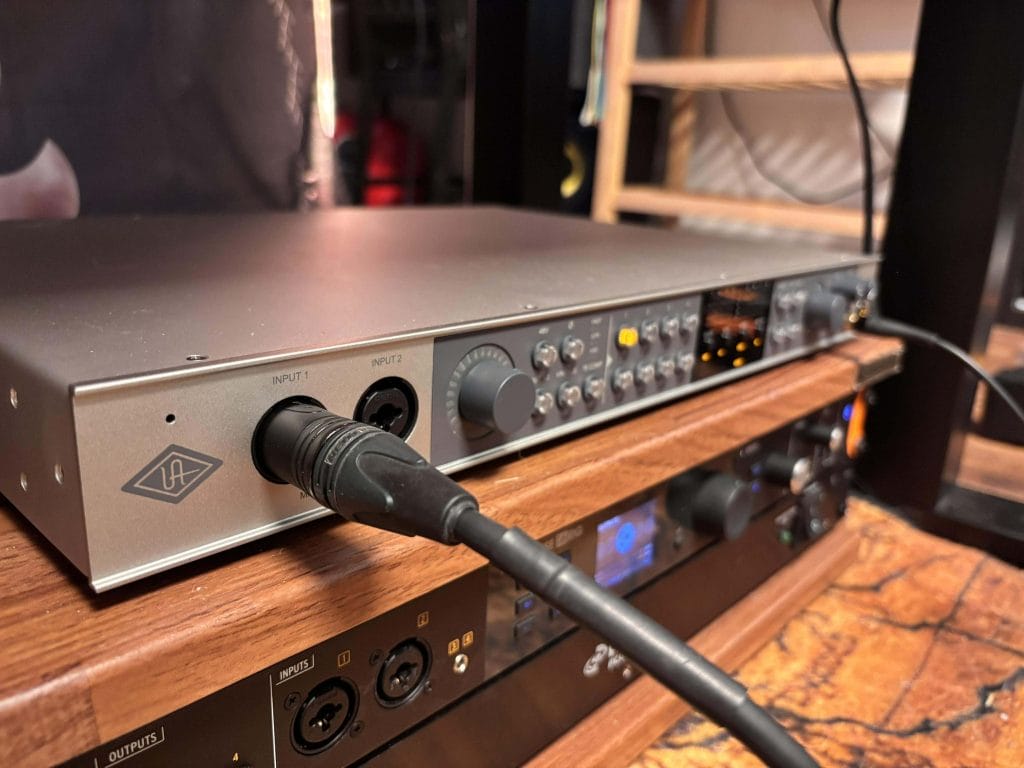
The preamps are clean, stable, and predictable, which is exactly what I want when tracking full bands under time pressure. Gain staging felt consistent across all eight channels, and I never ran into situations where one input behaved differently or needed compensating moves. That uniformity matters when you’re balancing multiple microphones and want decisions to translate cleanly into a mix later.
I didn’t feel any need for inline gain boosters, even when using lower-output microphones, which simplified setups and reduced points of failure. The noise floor stayed low enough that it never became part of the conversation, even on quieter sources or when pushing gain harder than usual. This is the kind of performance that doesn’t draw attention to itself, and that’s a compliment.
Auto-Gain proved useful in fast setups or unfamiliar rooms, especially when momentum mattered more than precision. I treated it as an assistive tool rather than a default, and in that role it felt appropriately restrained.
Vintage Mode and Onboard Compression
I think the vintage mode works best when you approach it as a subtle tonal contour rather than something dramatic. Used lightly, it adds a mild saturation and gentle lift without forcing a sound onto the source, and I found it most useful on room mics and secondary sources where a small shift helps placement. It stayed controlled unless I pushed it deliberately, which made it easier to trust.
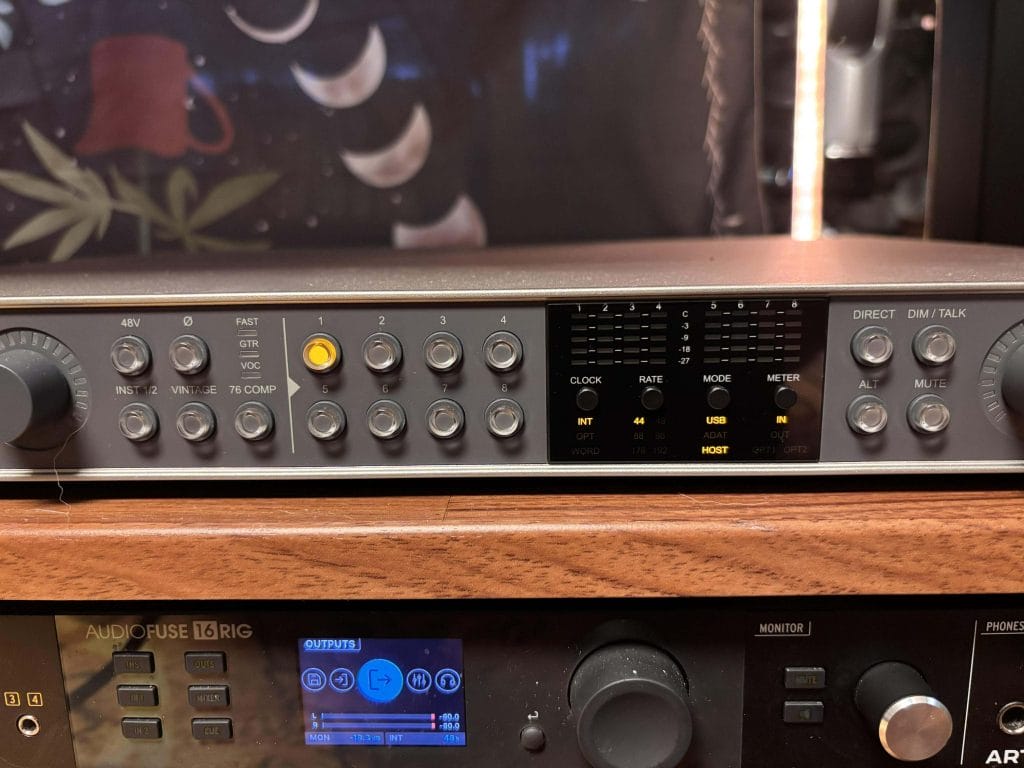
The onboard “76” compressor is firmly a utility tool in my workflow, and I ended up using it mostly for transient control on drums and basic level management on vocals and guitars where I wanted a bit of containment without overthinking it. I still think the 1176 comparison leans more on marketing language than expectation-setting, because what you are really working with here is a preset-based analog compressor with a fixed ratio and predefined attack and release behavior. Once I approached it that way, it made more sense in practice, since it behaves consistently and predictably rather than inviting deep tweaking. Where it proved genuinely useful was speed, because committing light compression on the way in helped me move through sessions faster and reduced decision fatigue later on, especially during long tracking days where momentum really does start to count.
Monitoring, Routing, and Control Software
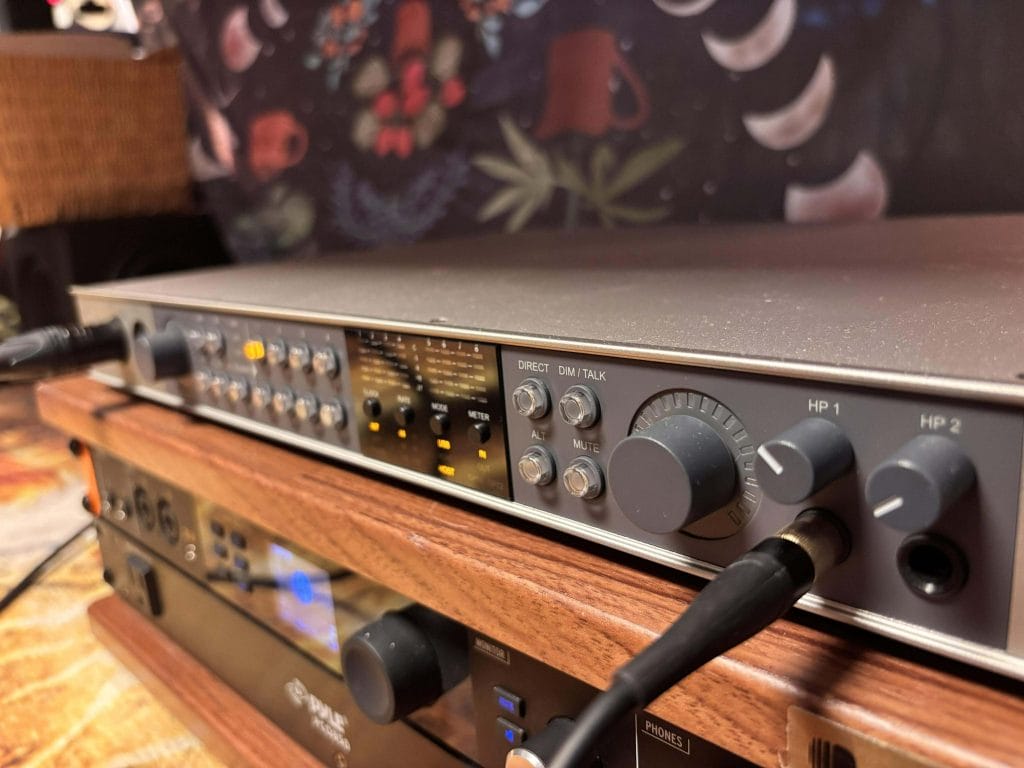
Software control is one of the areas where the Volt 876 feels genuinely modern. Being able to manage gain, routing, and channel configuration from a single place made session recall much easier, especially when juggling multiple projects. That kind of control adds up quickly in working studios where time is always the limiting factor.
That said, I consistently found it frustrating that headphone volume can’t be controlled in software. Nearly every other parameter lives there, so this omission feels arbitrary once you notice it. The physical headphone knobs are also cramped, which made fine adjustments harder than they should be during sessions.
These issues didn’t stop work, but they did slow it slightly in moments where speed is a big factor, and those are the kinds of details you only notice after living with an interface for a while.
Real-World Recording Scenarios
One feature I underestimated before using the Volt 876 in real sessions was the built-in talkback system. The interface includes an internal talkback microphone that can be routed through UAD Console, which removes the need to dedicate an external mic or channel just to communicate with musicians in another room. Once set up, it integrated cleanly into tracking workflows and kept sessions moving without extra setup steps.
From a practical standpoint, the value here is speed and simplicity.
Talkback routing lives alongside cue mixes and input monitoring, so communication stays part of the same control environment rather than becoming a separate problem to solve. For band sessions or drum tracking in particular, having talkback available without patching additional hardware made the interface feel more complete as a session hub rather than just an input box.
In producer-focused setups, the flexible line output configuration stood out for hardware-heavy workflows. While it does not explicitly position itself as a modular control interface, the ability to route multiple outputs for external gear, cue mixes, and reamping opens up routing options that many interfaces at this level overlook. The ability to operate standalone and expand later also made the unit feel like a long-term investment rather than a temporary solution.
Workflow Limitations and Criticisms
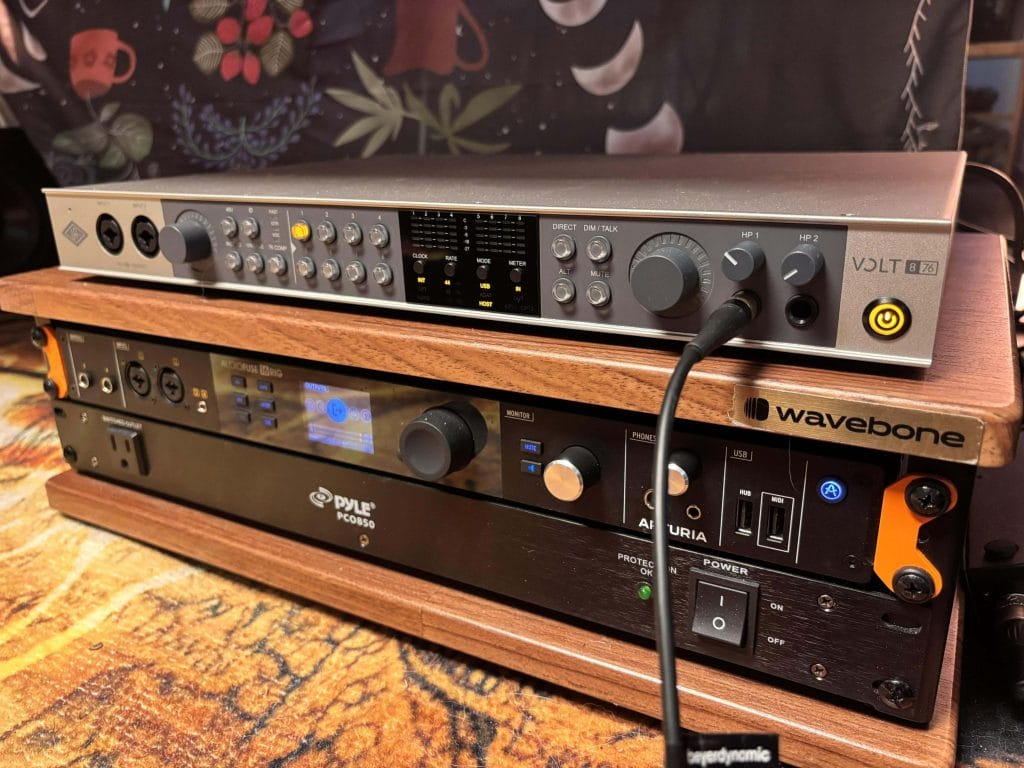
The biggest friction point for me was the lack of a hardware pad switch. When tracking loud sources like my synths being run through a bunch of pedals, reaching for a pad is faster and more intuitive than trimming levels in software. The workaround exists, but it interrupts the flow in situations where momentum is crucial.
I also noticed that the headphone output impedance favors higher-impedance headphones. Very sensitive low-impedance models felt less ideal for critical monitoring, which influenced my headphone choices during sessions.
Expandability, Standalone Use, and System Design
One of the strongest aspects of the Volt 876 is its ability to function as a standalone ADAT preamp without a computer attached, which gives it relevance even if your setup changes years down the line. When it comes to expanding a system, linking multiple units felt practical rather than theoretical, since each Volt 876 connects to the computer over USB while still using optical ADAT connections between units for audio routing.
That approach keeps control centralized in UAD Console while allowing you to scale input count in a predictable way, which helps for growing studios that want flexibility without rebuilding their entire interface setup.
The inclusion of MIDI I/O and DC-coupled outputs reinforces the sense that this interface was designed with real systems in mind. It supports gradual expansion and evolving workflows without forcing replacement cycles, which is something I value more the longer I work in studios.
Final Takeaway? Editor’s Choice Award Winner!
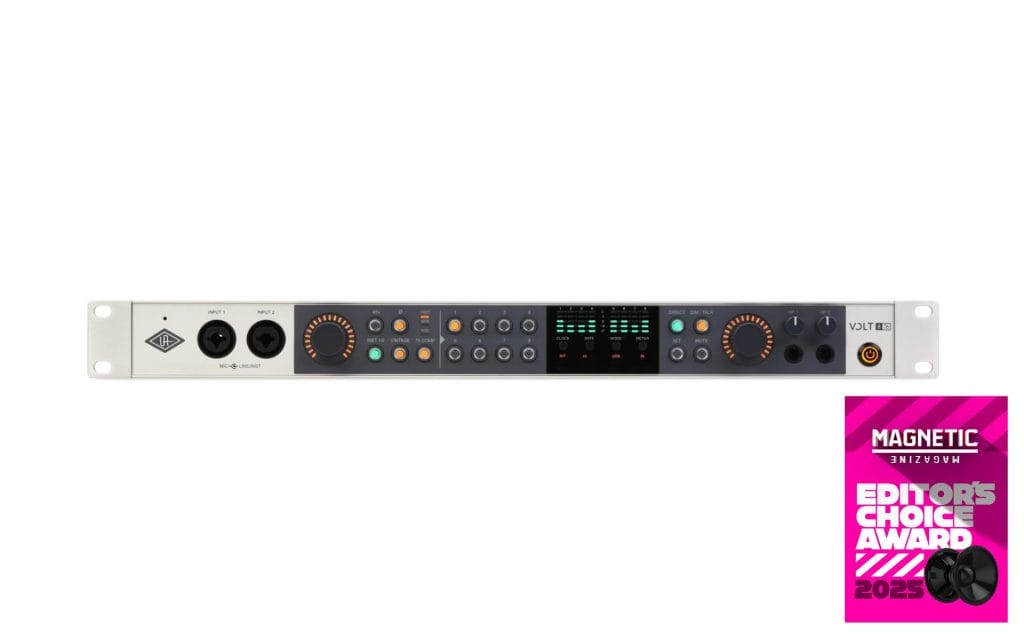
The Volt 876 earned an Editor’s Choice Award in 2025 (i know it’s 2026 writing this, but the interface dropped at the very very end of last year and it took my ears some time to calibrate to it enough to write this review) because it addressed a legit studio transition point with clarity, and it did so without adding unnecessary friction to the recording process. It gave engineers a straightforward path out of two-channel limitations while keeping the workflow familiar, which mattered once sessions started involving drums, multiple amps, and several musicians in the room.
Over long-term use, it stayed consistent from session to session, and that predictability made it easier to focus on performances instead of troubleshooting. The conversion and preamp behavior remained reliable across all channels, which helped maintain confidence when tracking full kits or running longer takes under time pressure.
What ultimately pushed it into Editor’s Choice territory was how well it handled growth without demanding commitment to a rigid system. It worked comfortably as a main interface in a developing studio, and it made equal sense as an ADAT expander when more inputs were needed down the line. Features like standalone ADAT operation, MIDI I/O, and DC-coupled outputs reflected practical studio thinking, especially for producers balancing hardware and in-the-box workflows.
The onboard analog tools added useful options during tracking, but they stayed secondary to the core job of capturing clean, repeatable results. Taken as a whole, the Volt 876 delivered steady performance, flexible system design, and day-to-day reliability, which is why it earned Editor’s Choice recognition for 2025.
The post Universal Audio Volt 876 Review – An Incredible Rackmount USB-C Interface Evaluation appeared first on Magnetic Magazine.