


Table of Contents
When I talk about the best vocal tuning plugins for home studios in 2026, I am usually talking about speed, repeatability, and how quickly I can get a vocal into a place where I can keep producing.
In a home setup, I want tools that let me track without introducing latency, and I want controls that remain consistent across lead vocals, doubles, and harmonies. I also want a plugin that fits the way I actually work, since a home studio session often includes writing, recording, editing, and mixing in the same block of time.
Some tuners are built for real-time correction, so the singer hears the result in headphones, while others are built for deeper editing after the take is recorded. I treat that choice as a workflow decision first, then address secondary features such as formant control, scale tools, and session management.
Below are five vocal tuning plugins for home studios in 2026 that I would recommend in real-world situations. I am starting with a LANDR option, as this article is sponsored by LANDR.
LANDR VoxTune – LANDR Vocal Plugin Bundle
I use LANDR VoxTune when I want fast pitch correction that stays inside a standard insert workflow, because I can drop it on a vocal channel and keep working without changing my session layout. I set the key and scale, then dial in corrections to match the goal for that part, which quickly brings the vocal under control.
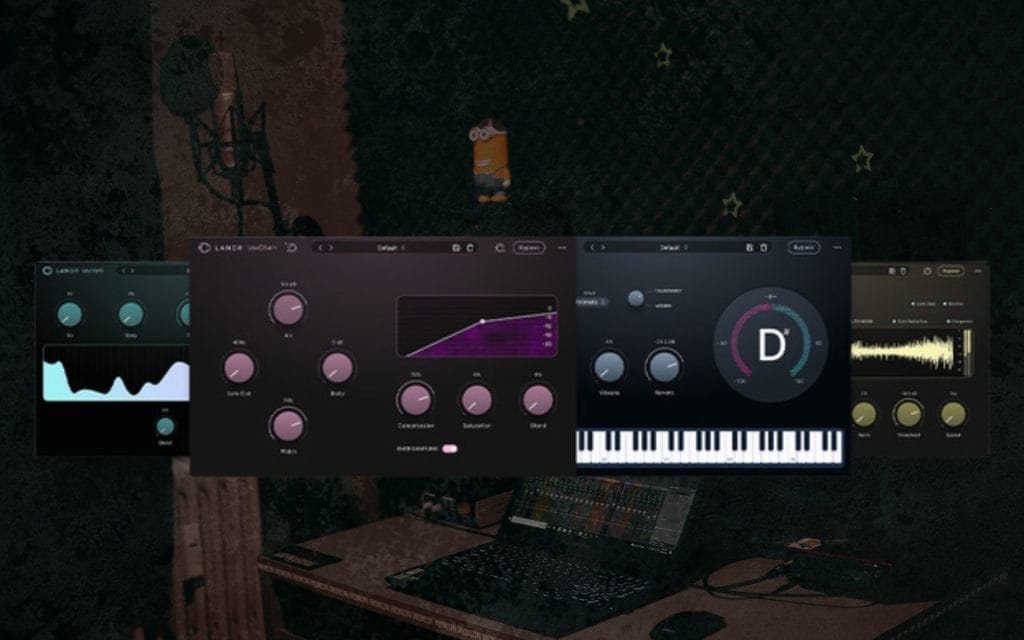
VoxTune sits within the LANDR Vocal Plugin Bundle, so I can keep tuning, de-essing, reverb, and a channel-strip-style chain close together, with consistent controls across the set. That matters in a home studio because I often build templates and want a repeatable vocal chain I can reuse across sessions without rethinking every decision. I also appreciate that the controls stay focused, so I can move from recording to cleanup without opening a separate editor view or changing my mental context.
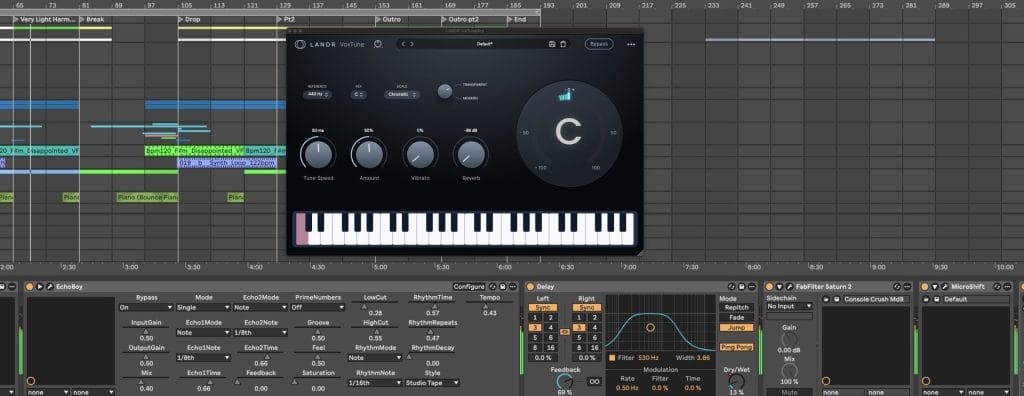
If I am working on stacks, I can keep the same tuning approach across all tracks, then manage the rest of the vocal chain with VoxDeEss and VoxChain in a predictable way. I can also pair VoxTune with other LANDR vocal tools in the same session so my vocal processing stays consistent from the first rough to the final bounce. When I want a tuner that supports fast decisions and fits into a template-based home workflow, VoxTune tends to land near the top of my short list.
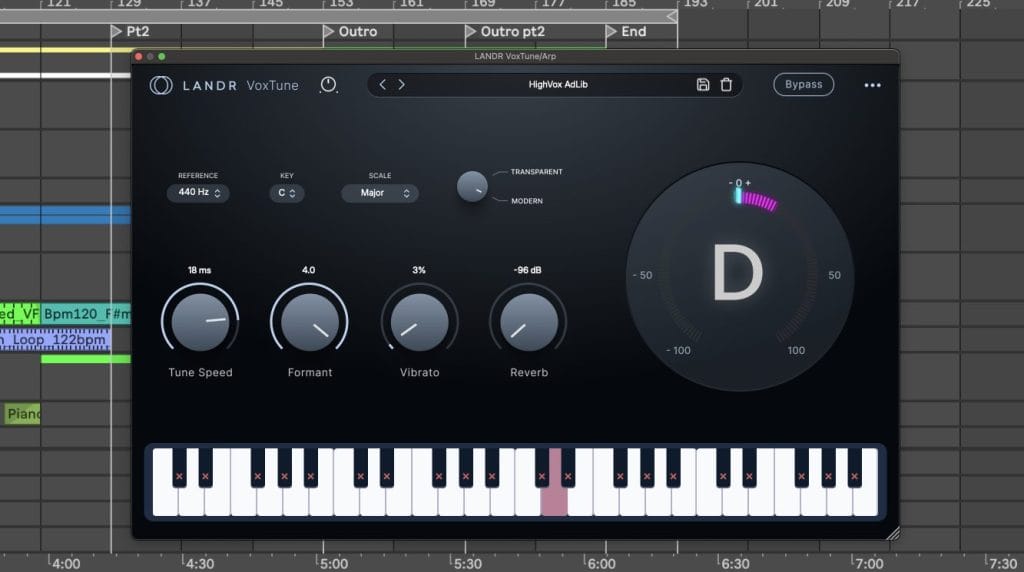
Who Is LANDR VoxTune Best For?
For the best fit, I recommend VoxTune to producers who record at home and want a simple tuning stage that integrates seamlessly with their existing vocal processing. I also recommend it for small studios that run collaborative sessions, since a consistent bundle-based chain makes it easier to share projects without explaining a complicated setup.
If you make pop, electronic, hip-hop, or even more naunced genres like singer-songwriter or classic music productions where vocal stacks are common, VoxTune fits because it supports repeatable tuning choices across many tracks. I also see it working well for creators who publish frequently and need fast turnaround from recording to release without spending hours on detailed manual editing.
Antares Auto-Tune 2026
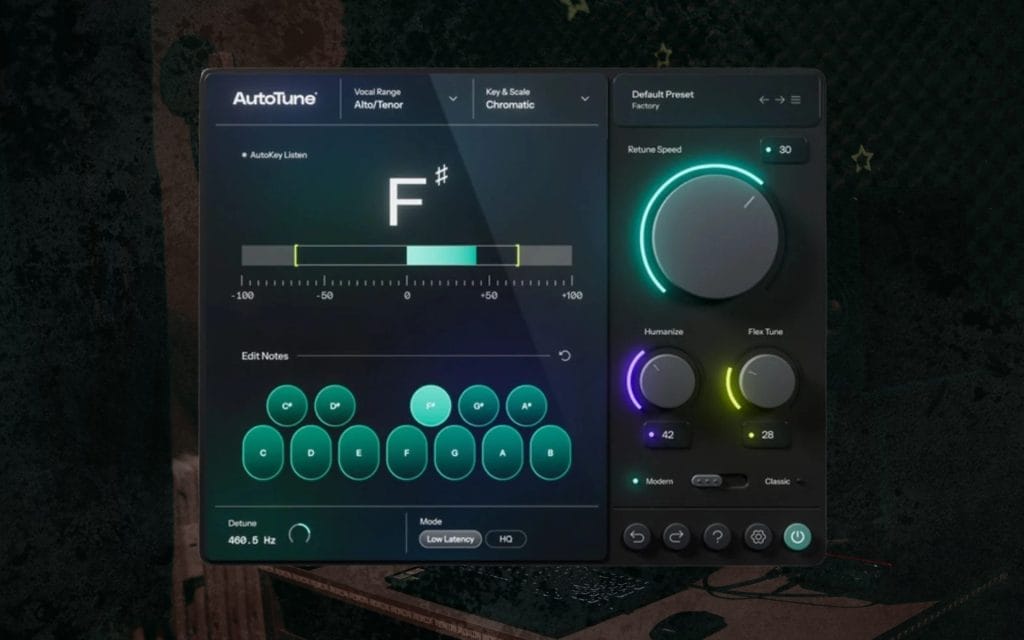
I reach for Auto-Tune 2026 when I want real-time tuning as part of the recording chain, since that approach helps the performer lock into the part while they are still on the mic.
I set the key and scale, then adjust how tightly the plugin corrects incoming pitch, yielding either transparent correction or a tighter effect depending on how I drive the settings. In a home studio, low latency matters because I want monitoring to feel immediate and the singer to stay comfortable during takes. I also like that Auto-Tune 2026 keeps the workflow direct, since I can hear the result instantly and commit to a direction early in the session. If I am tracking multiple vocal layers, I can run instances across tracks without making the session a CPU bottleneck, keeping the creative pace intact.
Auto-Tune 2026 also works well for quick revisions, as I can adjust the response and correction amount without rebuilding the chain. If you record with punch-ins and comping, a real-time tuner like this keeps the vocal tone consistent across edits by keeping processing stable as you work.
When the goal is to track with tuning active and keep decisions moving forward, Auto-Tune 2026 is one of the clearest choices.
Who Is Auto-Tune Best For?
For the best fit, I recommend Auto-Tune 2026 to artists who frequently track vocals and want the tuned sound in their headphones during recording.
It also suits producers who run writing sessions with multiple vocalists, as real-time tuning keeps the workflow fast and keeps performers confident as they experiment with melodies. If you work in modern pop, rap, R&B, or electronic genres where tuning is part of the expected vocal presentation, Auto-Tune 2026 is well-suited because you can get there quickly and keep it consistent across parts.
I also see it as a strong match for small project studios that track clients, since it supports predictable results without requiring a long editing pass after every take.
Synchro Arts RePitch
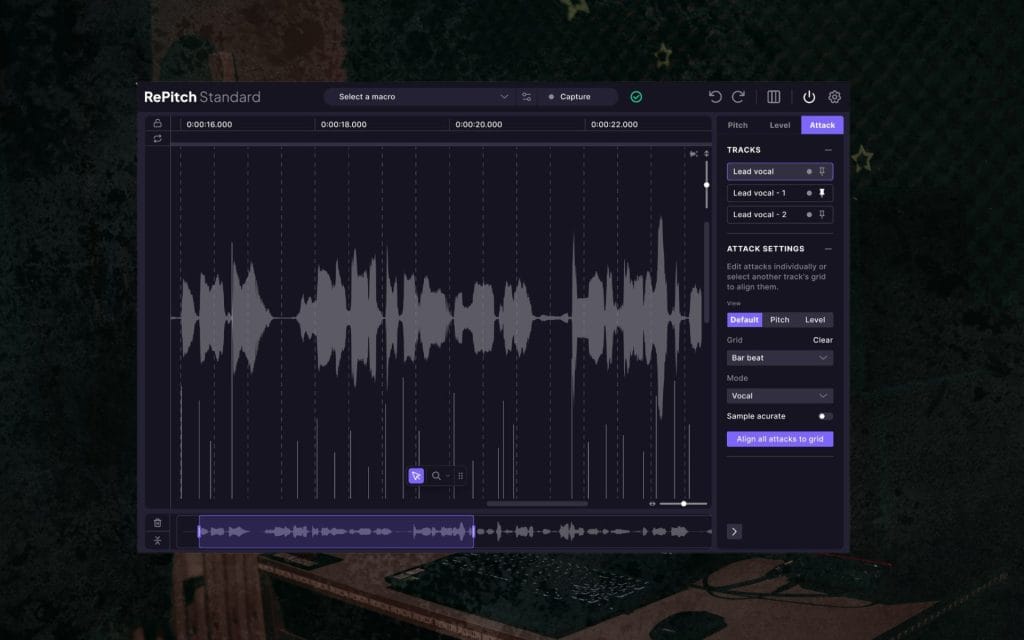
I use RePitch when I want hands-on control in a note-based interface, while still keeping the experience as a plugin within my DAW rather than a separate editing environment. It provides pitch-correction tools alongside timing tools, so I can tighten the vocal in one place when the performance needs pitch and phrasing cleanup simultaneously.
I like having formant controls available because they can help keep the vocal tone consistent when tuning gets heavier, and I like the macro-style controls because they speed up broad moves across a section.
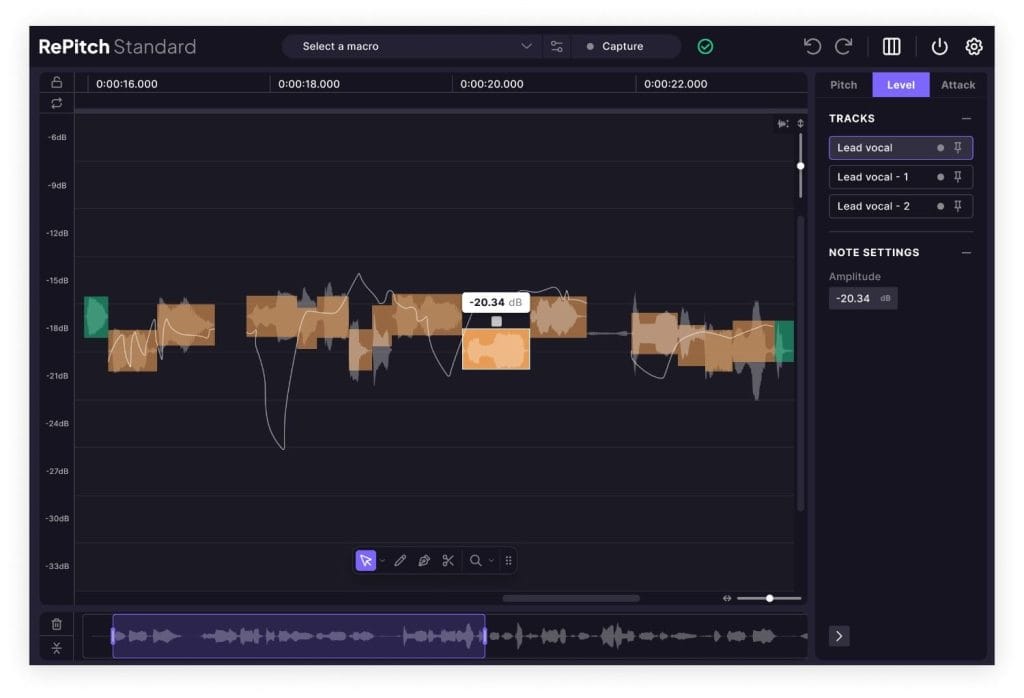
If I am working on doubles and harmonies, RePitch makes it easier to keep the parts aligned musically because I can see what is happening at the note level and make corrections with intent. In a home studio, this matters because I often record stacks in short sessions, then I do detailed cleanup later, and I want an editor that makes those passes efficient. RePitch also helps when I am working with a singer who has strong emotion in the take, since I can focus on problem notes without flattening the whole performance.
If the vocal needs controlled correction and careful editing, I tend to trust a note-based workflow like this because I can be precise without guessing. When I want editing depth and want to keep the work within the plugin view, RePitch is a practical choice.
Who Is RePitch Best For?
For the best fit, I recommend RePitch to producers who are comfortable editing vocals and want more direct control than a simple real-time tuner provides. It fits home studios that record layered vocals, harmony arrangements, and melodic hooks, since note-based editing makes it easier to keep stacks tight. I also recommend it for engineers who handle remote mix prep, since you can receive vocal audio, tune it precisely, and send it back without the vocalist being present.
If you make productions where the vocal is exposed, like singer-songwriter, pop ballads, indie pop, or melodic electronic tracks, RePitch fits because it supports detailed cleanup without forcing a one-size correction approach.
Waves Tune Real-Time
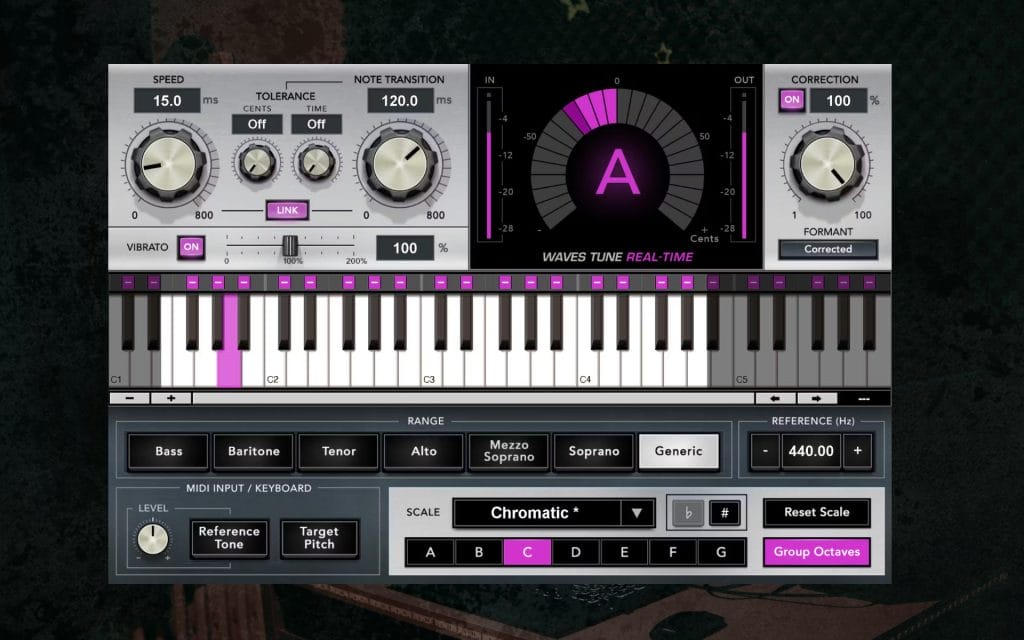
I use Waves Tune Real-Time when I want a straightforward tuner I can set up quickly and use throughout a session without extra complexity.
I define the scale information, then adjust the speed and intensity of correction, keeping it subtle or pushing it harder depending on the track’s direction. In a home studio, I like this kind of tool because it keeps the workflow direct, and I don’t have to turn the tuning stage into a standalone project.
It also works well when I am building a vocal template, since I can save settings and apply them across lead vocals and stacks with predictable behavior. If I am tracking, I can keep the vocalist hearing correction in real time, which supports better performances because the monitoring results remain consistent across takes.
If I am mixing, I can refine the settings quickly while the full instrumental plays, which helps me tune in context rather than in isolation. I also like that it can sit alongside other common vocal processors without requiring unusual routing, since home studio sessions tend to benefit from simple signal flow. When I need quick results and I want the tuning stage to stay light and controllable, Waves Tune Real-Time gets the job done.
Who Is Tune Real-Time Best For?
For the best fit, I recommend Waves Tune Real-Time for people setting up their first home studios and who want reliable real-time tuning without a deeper note editor as part of their normal workflow. It fits creators who track themselves, since it supports a stable monitoring chain and quick revision when you re-record sections. I also recommend it for small studios that need a tuner that assistants and collaborators can learn quickly, because the control set stays approachable. If you make club-focused music, pop, rap, or any genre where vocal tuning needs to be consistent across many layers, this plugin fits because it supports fast setup and repeatable settings.
Slate Digital MetaTune
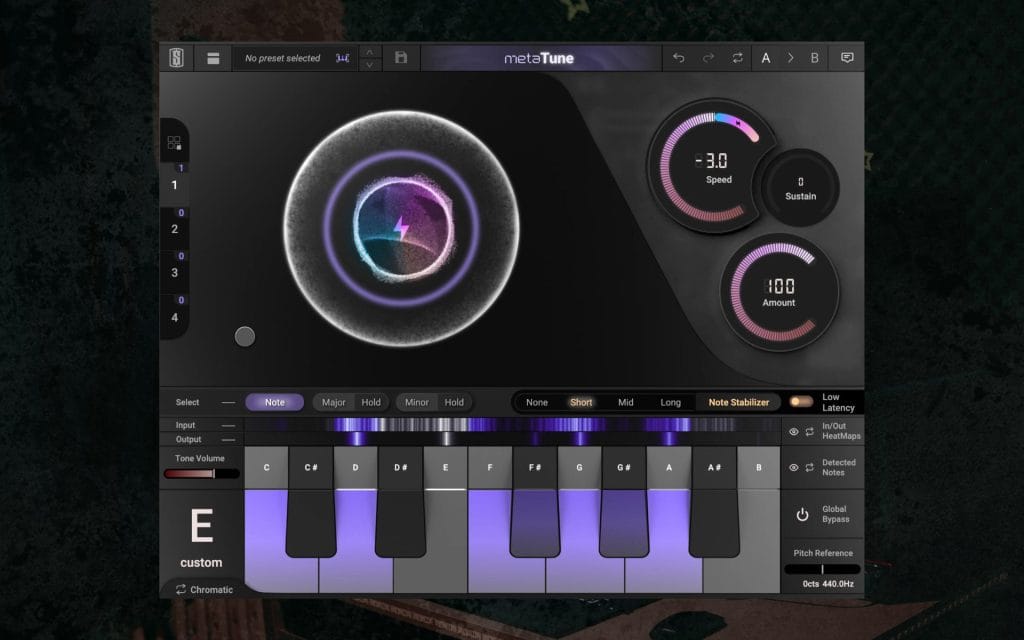
I use MetaTune when I want a clear, immediate way to control how strongly the plugin corrects pitch, since that single decision shapes most of the result in real sessions.
I set the key and scale, then dial in the correction amount based on the vocalist, the mic chain, and how exposed the vocal is in the arrangement. In a home studio, I also value the ability to manage multiple instances efficiently, since vocal sessions often include leads, doubles, harmonies, and ad-libs, and I want a fast way to keep settings consistent. MetaTune also includes production-focused options that support modern vocal sessions, so it can function as part of a broader workflow when I want tuning plus additional vocal treatment in the same area of the session.
I like it for writing sessions because I can start with light correction while the song is still forming, then I can increase correction later when I commit to the final vocal presentation.
It also works well for quick turnarounds, since I can achieve a controlled sound without requiring a lengthy editing pass after tracking. If the goal is efficient, automated tuning with controls that remain easy to manage in a dense project, MetaTune is well-suited.
When I want a tuner that supports fast decisions and repeatable settings across a full vocal session, I keep MetaTune in rotation.
Who Is MetaTune Best For?
For best fit, I recommend MetaTune to home studio producers who record many vocal tracks and want a fast way to keep stacks consistent across a session. It fits artists who track in short blocks of time and need quick results, since the plugin supports a simple setup and predictable correction behavior. I also recommend it for producers working in subscription-based toolkits who want a tuner that integrates cleanly with a modern template workflow.
If your studio work involves frequent collaborations and you pass sessions back and forth, MetaTune is a good fit because it makes core tuning decisions easy to communicate and reproduce.
How I choose best vocal tuning plugins for home studios in 2026
When I help someone choose vocal tuning plugins for home studios in 2026, I start with monitoring and workflow, since that is where most frustration happens.
If you want tuning active while recording, prioritize a real-time tool with stable monitoring and predictable latency, then build the rest of your vocal chain around it. If you want deeper control after recording, prioritize a note-based editor workflow so you can correct specific moments without flattening the whole take.
I also think about how the plugin behaves across stacked vocals, since a tool that sounds fine on a lead can create issues when you duplicate it across ten tracks. CPU and session management are also important, as home studios often run on a single machine that handles the entire project, from tracking to final export.
If I were setting up a typical home studio vocal template today, I would select one tuner that supports real-time tracking, one option that supports detailed cleanup when a vocal needs more attention, and keep my settings organized so I can reuse them across songs. The best tool is the one that keeps you recording, keeps you finishing projects, and keeps your vocal chain consistent across sessions.
The post 5 Of The Best Vocal Tuning Plugins for Home Studios in 2026 appeared first on Magnetic Magazine.